

You ask your agent for yesterday's news. It searches, finds links, and writes a beautiful, confident summary.
Of the wrong day.
The search tool worked. The summarizer worked. Everyone did their job. So where exactly did the agent get "yesterday" from?
Think about it for a second. The model's training cutoff? Your server? The user's browser? A clock reading it saw three days ago, the last time someone opened this chat?
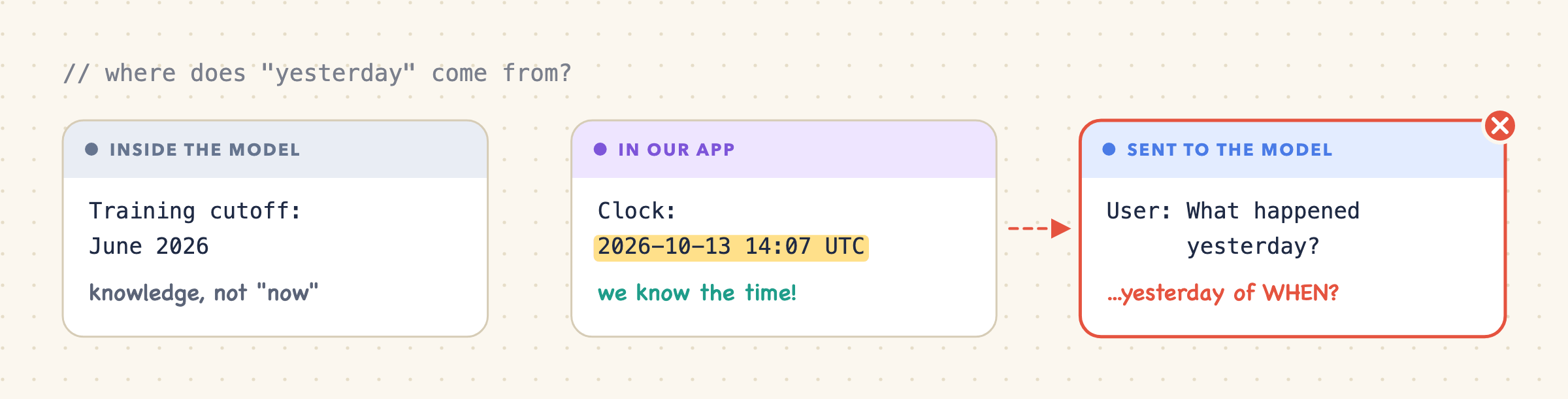
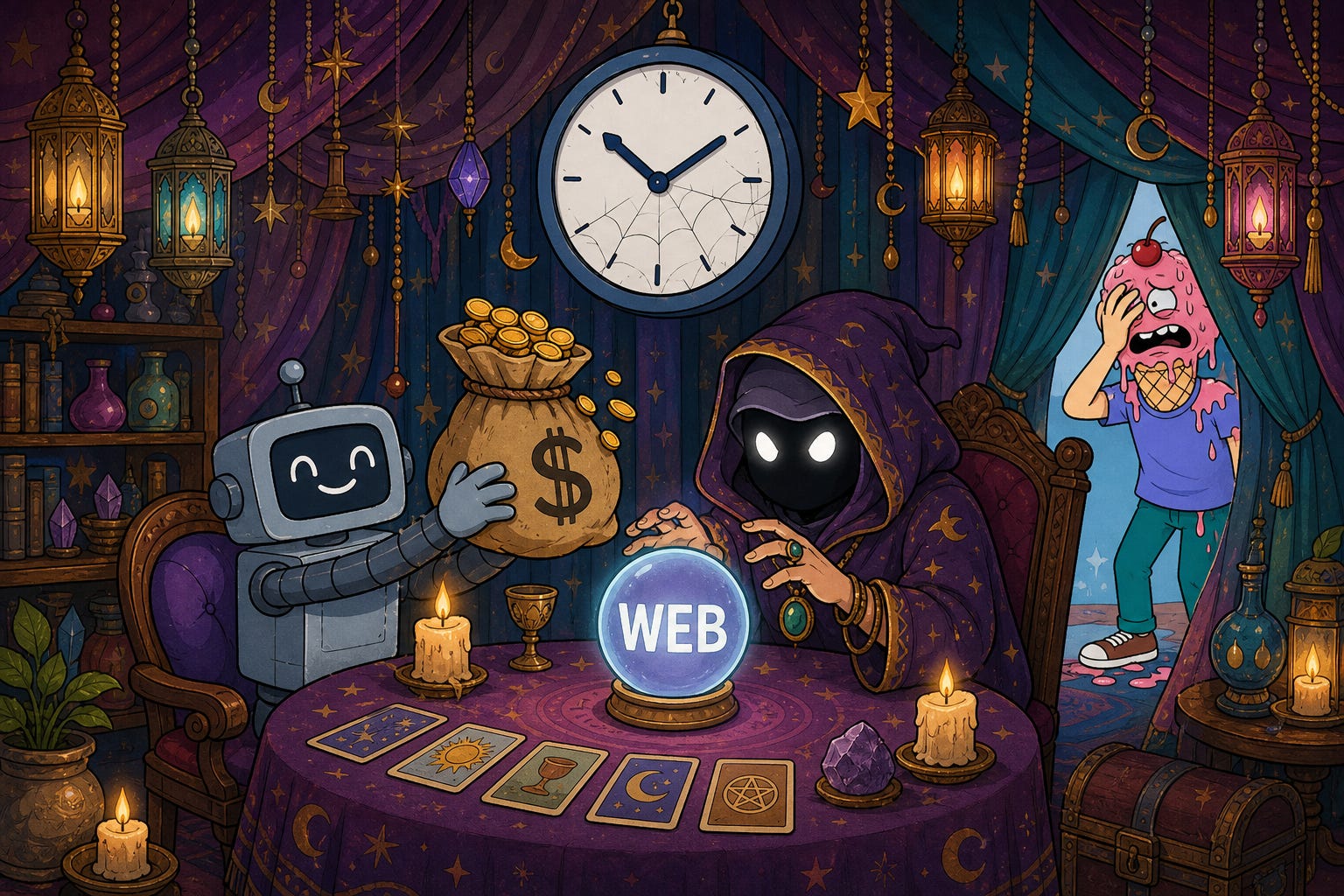
A model has no wall clock. Its training cutoff is a best-before date for its knowledge, not a wristwatch. If the model knows today's date, someone in your application handed it over.
And time is just the poster child. The same question hides behind user preferences, the active workspace, and every other bit of context that changes between requests. In an agent serving many users across many tenants, we have to supply the right context for this request, keep it fresh, and decide what belongs in history.
We'll use time to work through those decisions. It looks like a one-line change. Follow that line through caching, tool calls, the UI, and a reloaded conversation, and it turns into one of those "how hard can it be?" tickets. You know the kind.
Quick orientation before we start:
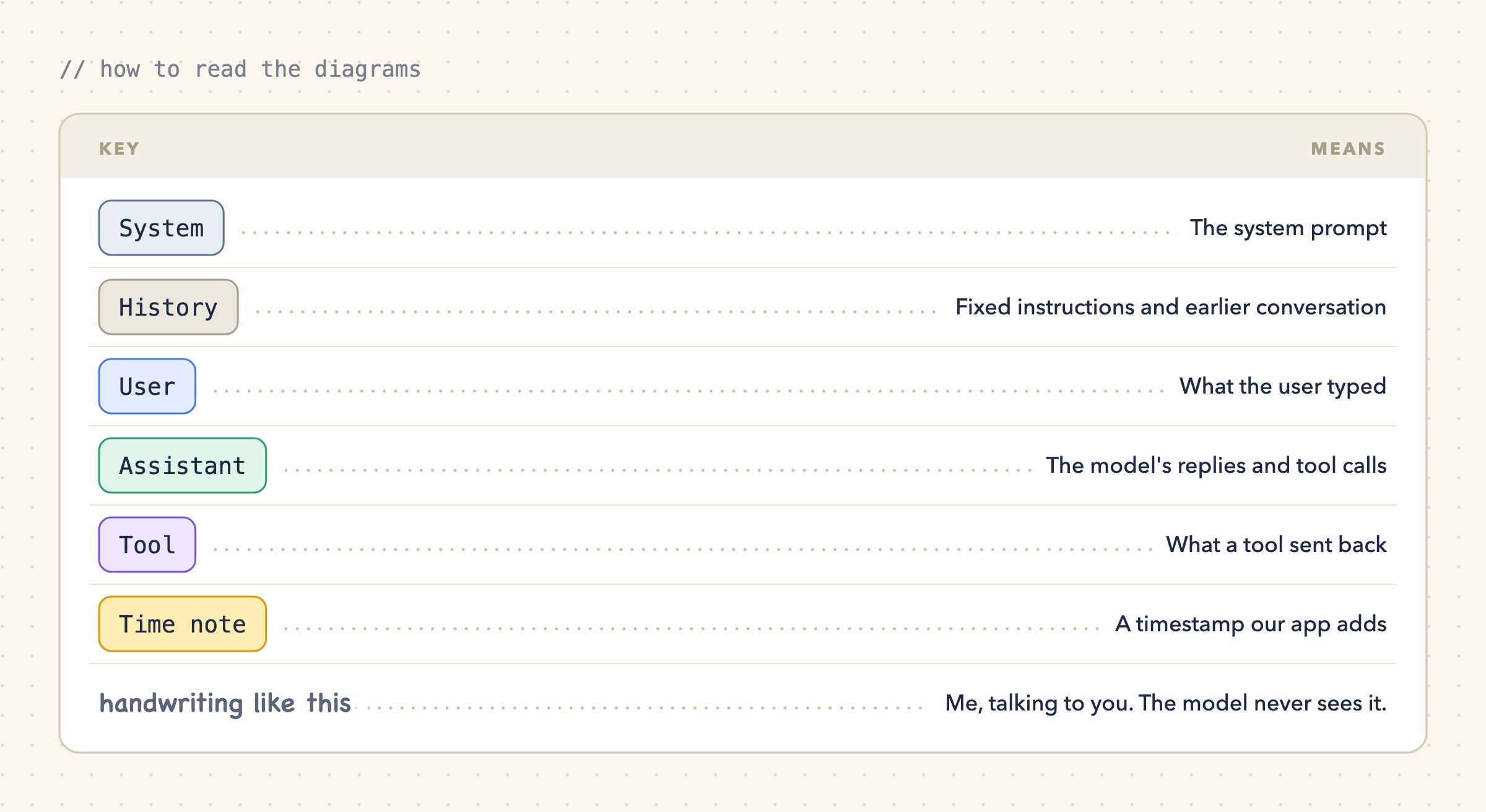
The diagrams show what the model receives and in what order, not any particular provider's API syntax.
1. Put static time in the system prompt
The obvious answer first. Everyone's first answer. Mine too.
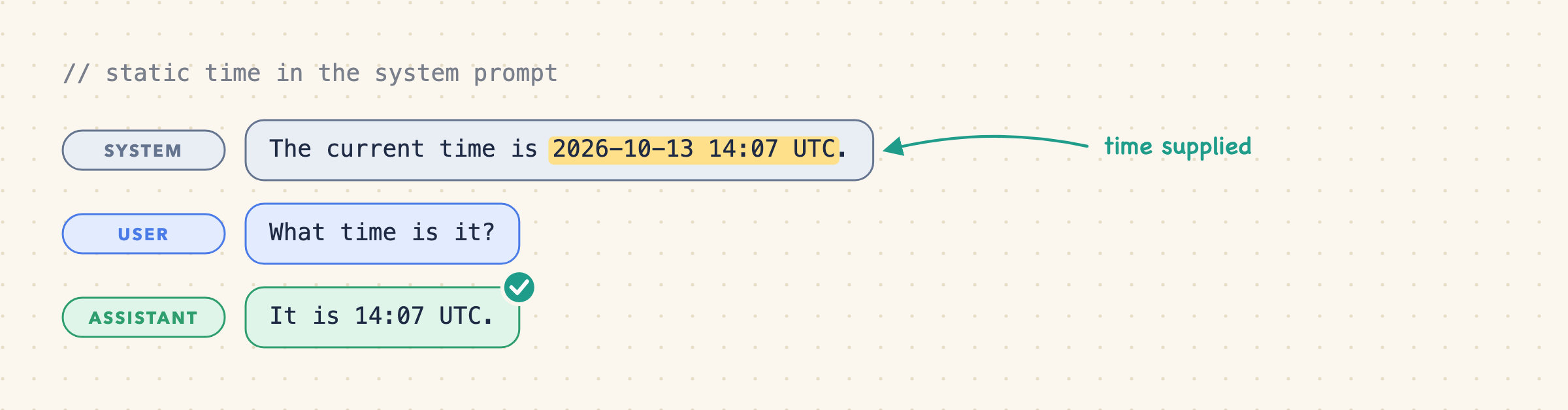
It works! Ship it.
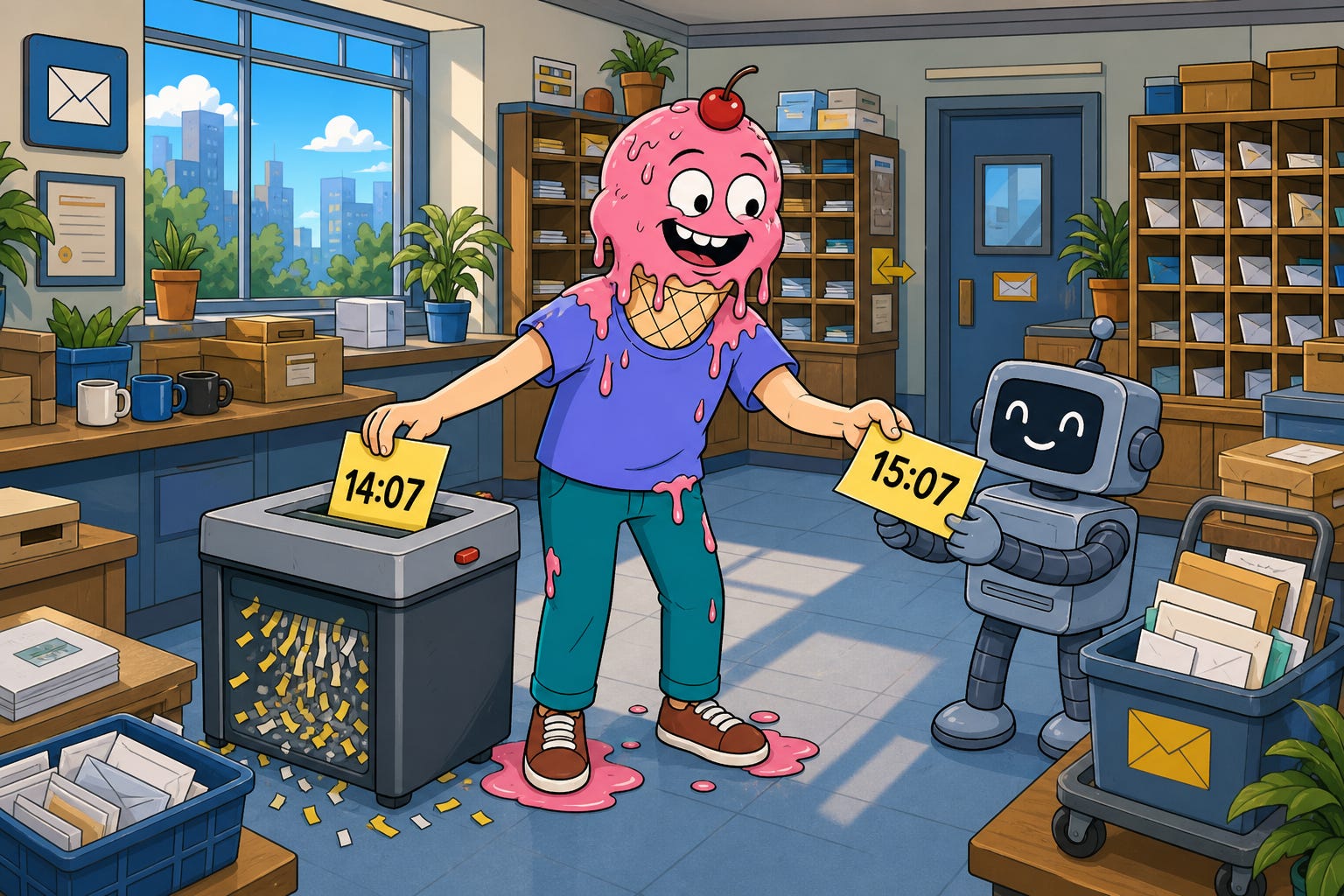
Now let the same chat sit for an hour without touching the prompt:
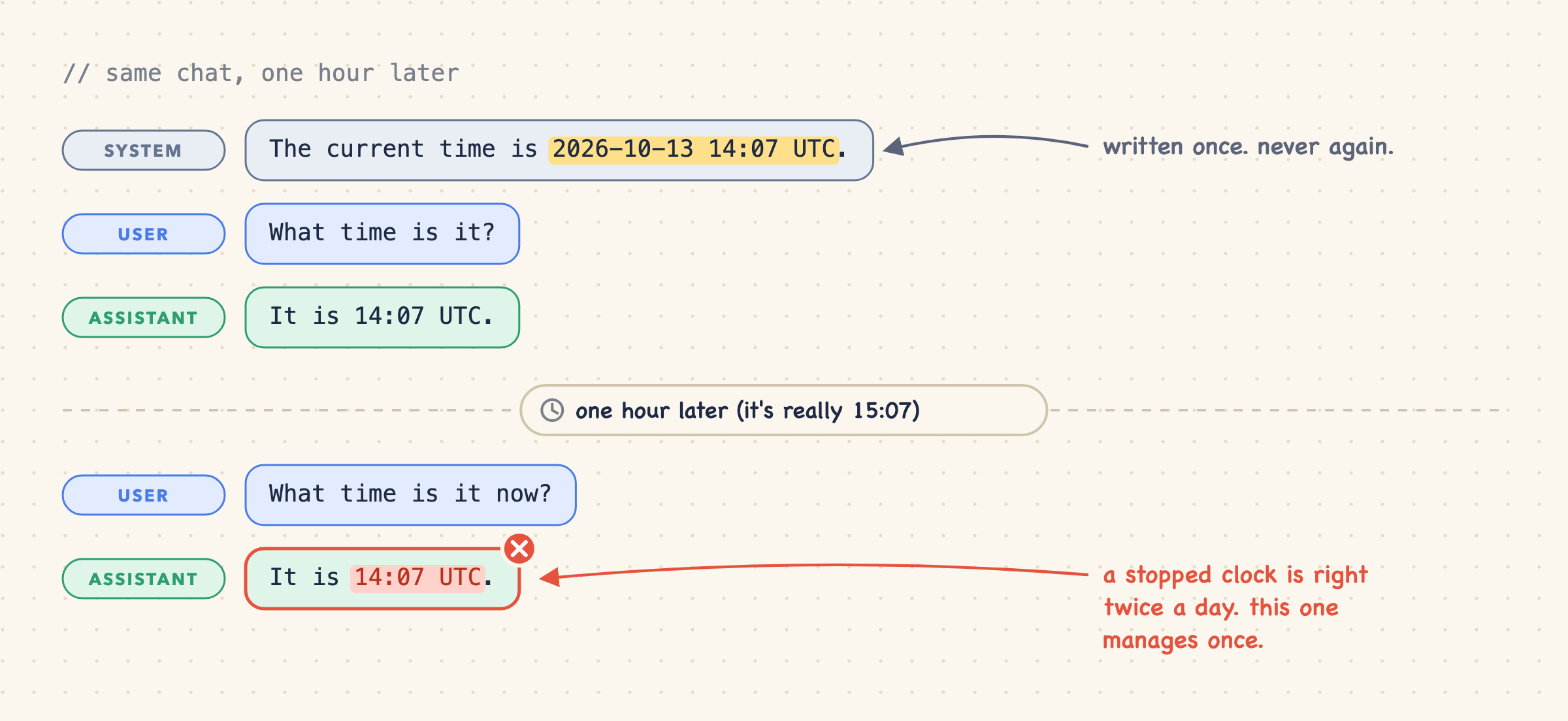
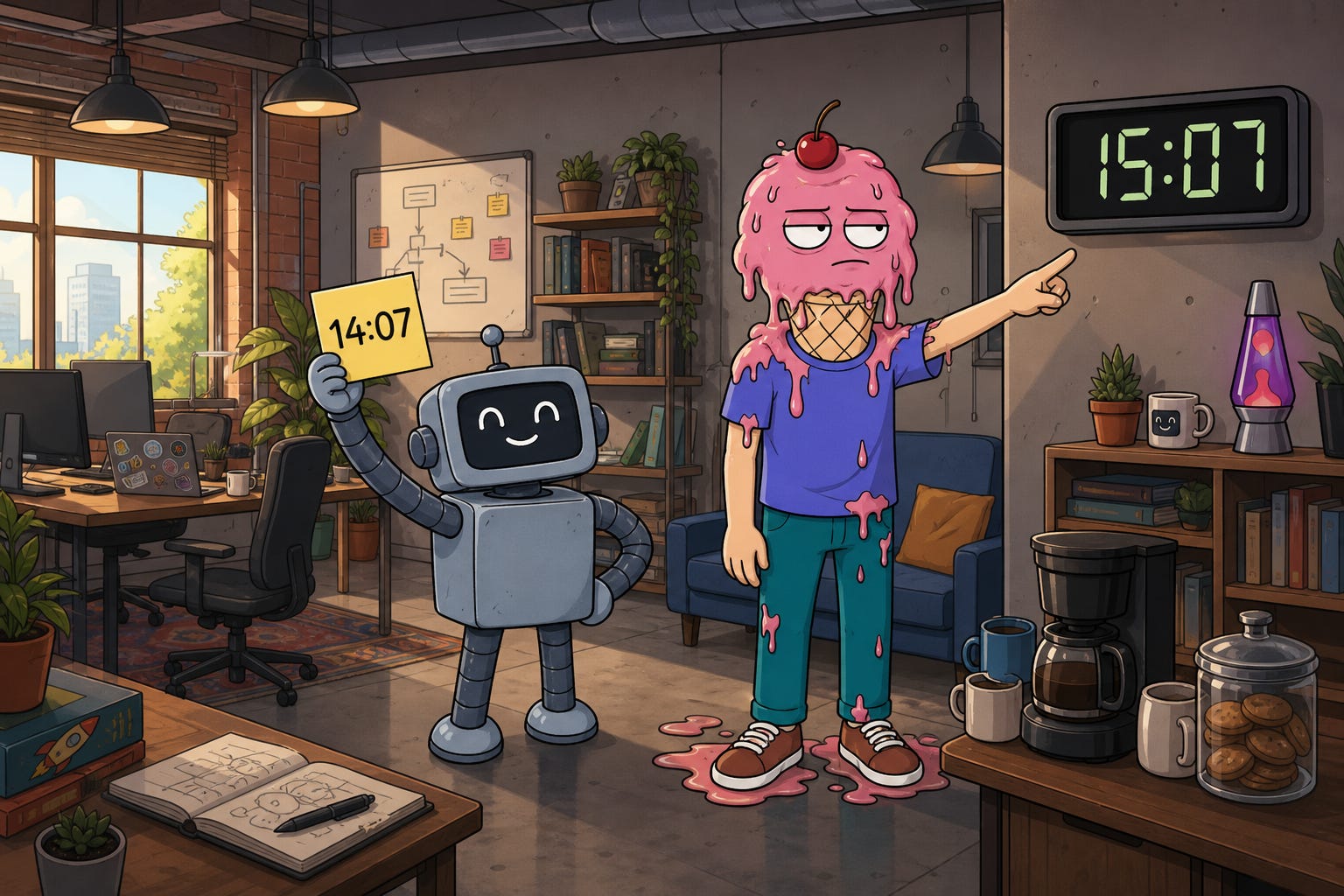
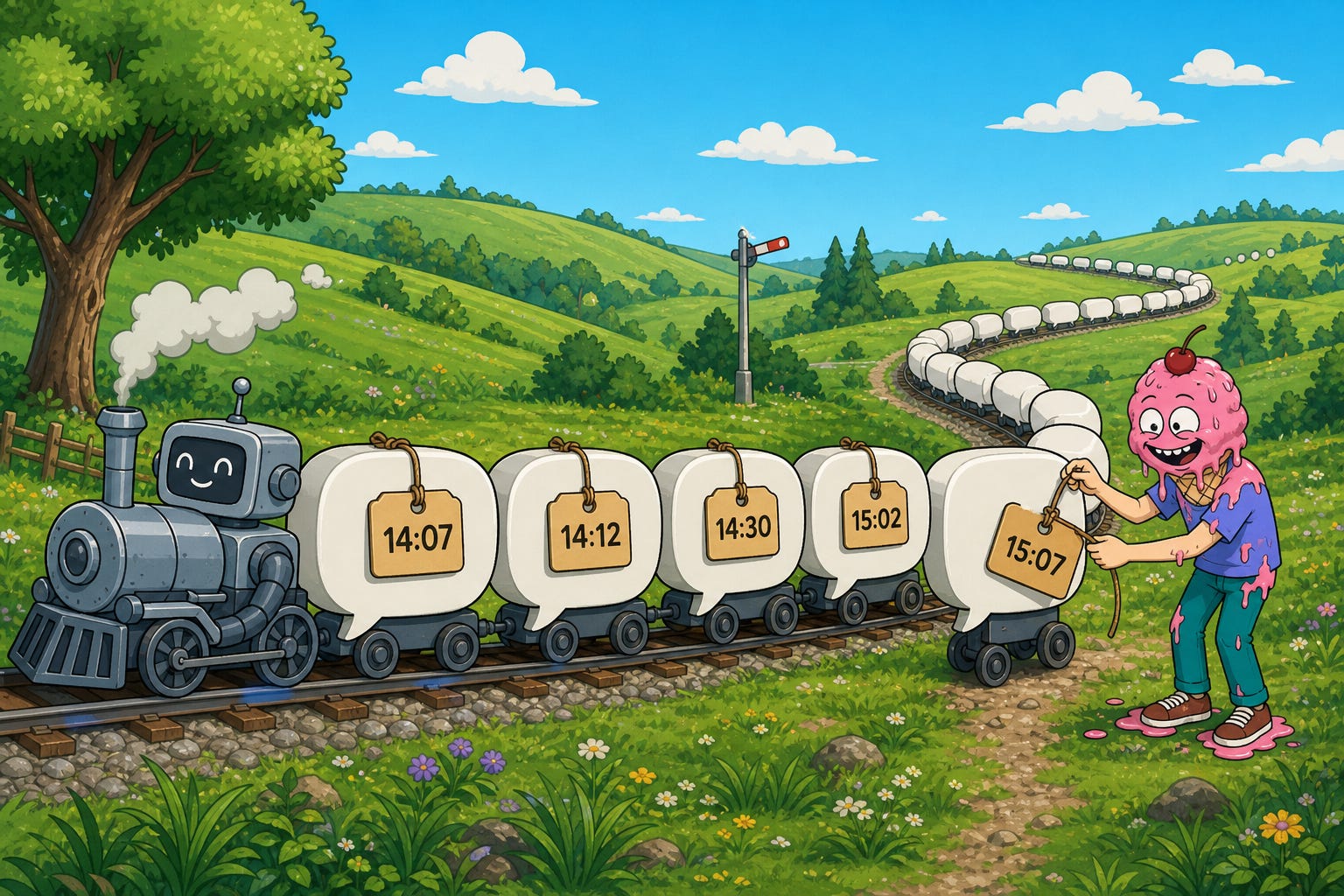
The real time is 15:07. The model might suspect the reading is old, but nothing in its input can tell it about the missing hour.
We supplied context automatically and cheaply. We just didn't keep it current.
Fine. Refresh it.
2. Update the system timestamp on every call
Before each model call, read the clock and rewrite the timestamp in the system prompt. An hour later, the input looks like this:
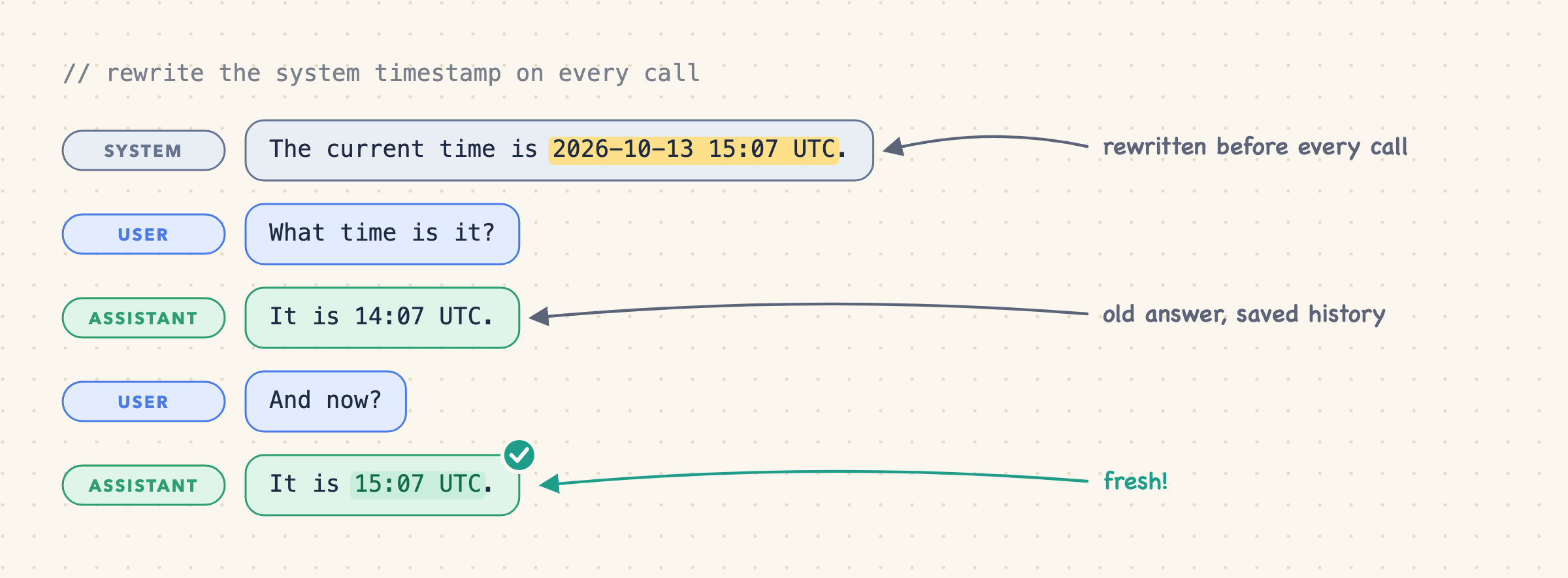
The latest answer is right. The old "14:07" is saved history, and the new one is freshly generated. Correct! But look at where we made the change: at the very top, above the entire conversation.
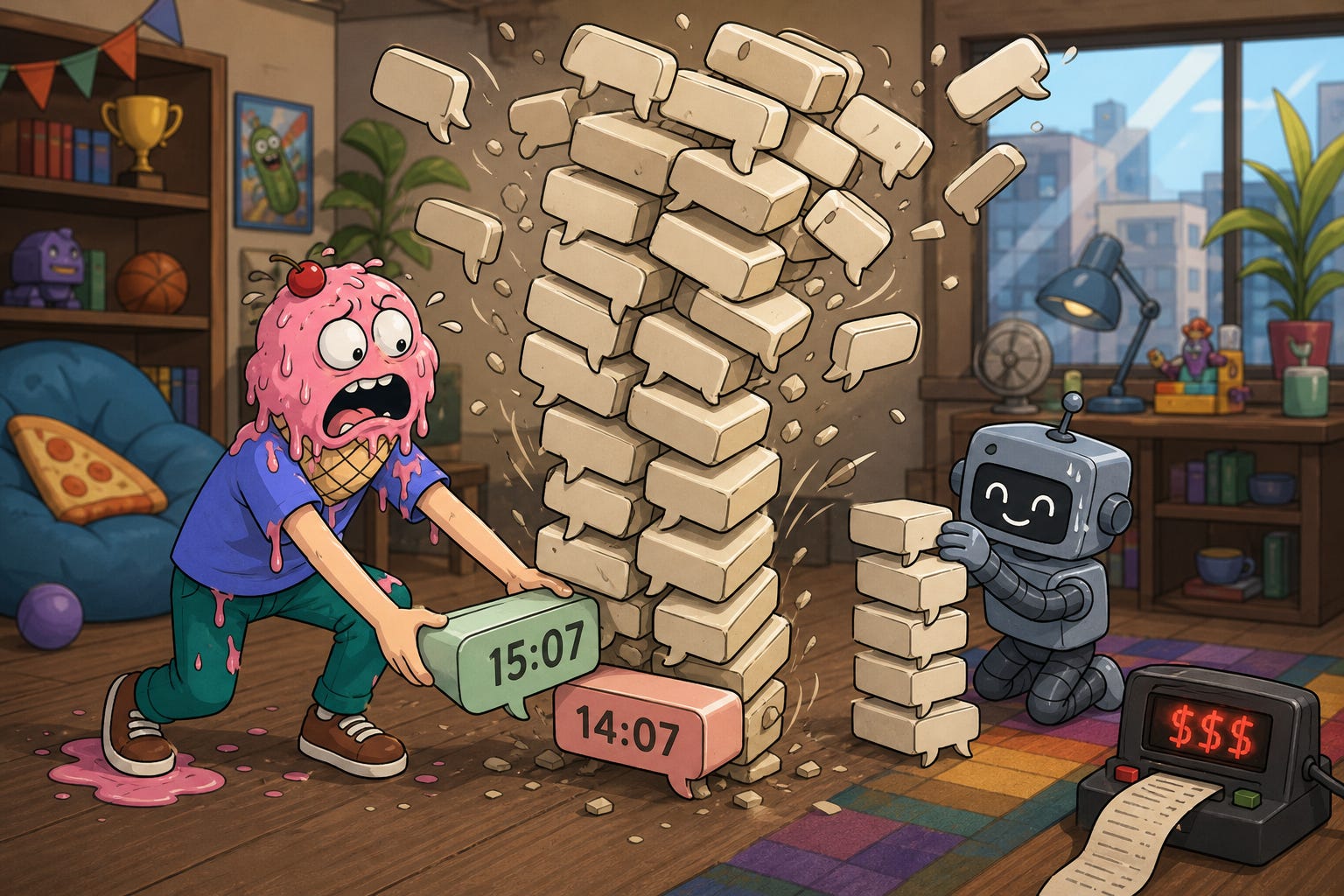
Prompt caching reuses an unchanged beginning of the model's input. It can't skip over an edit and pick up matching again below it. OpenAI documents this prefix-matching behavior.
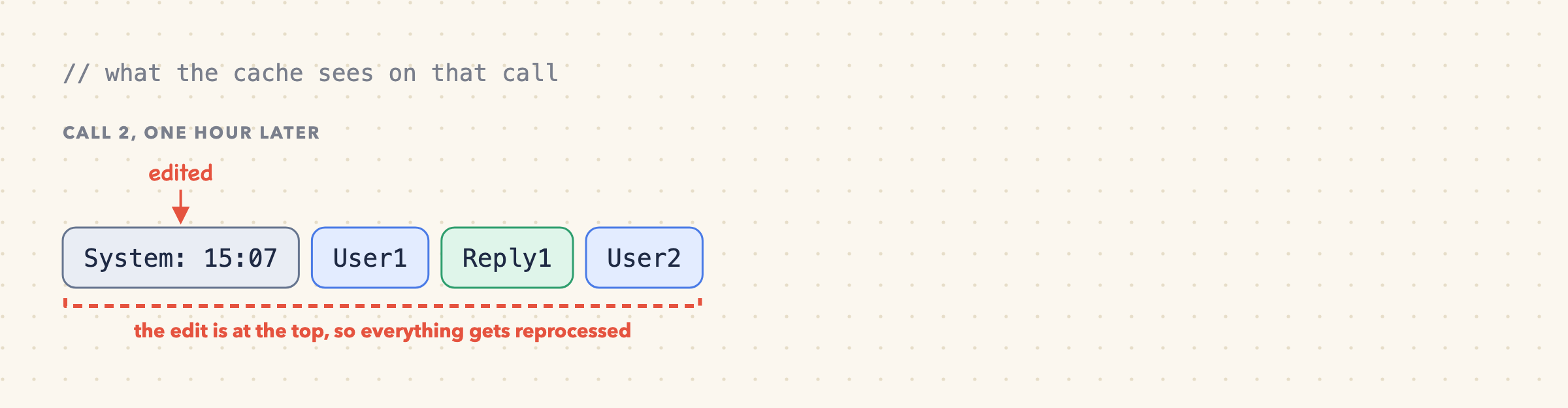
For a five-message chat, who cares. For a long session, you're paying to reprocess the whole conversation because the minute hand moved. That's a lot of your users' credits spent telling time.
Hmm. Could the agent get a fresh time without us touching the system prompt?
3. Fetch time through a tool
Give the agent a getCurrentTime tool that reads the application's clock.
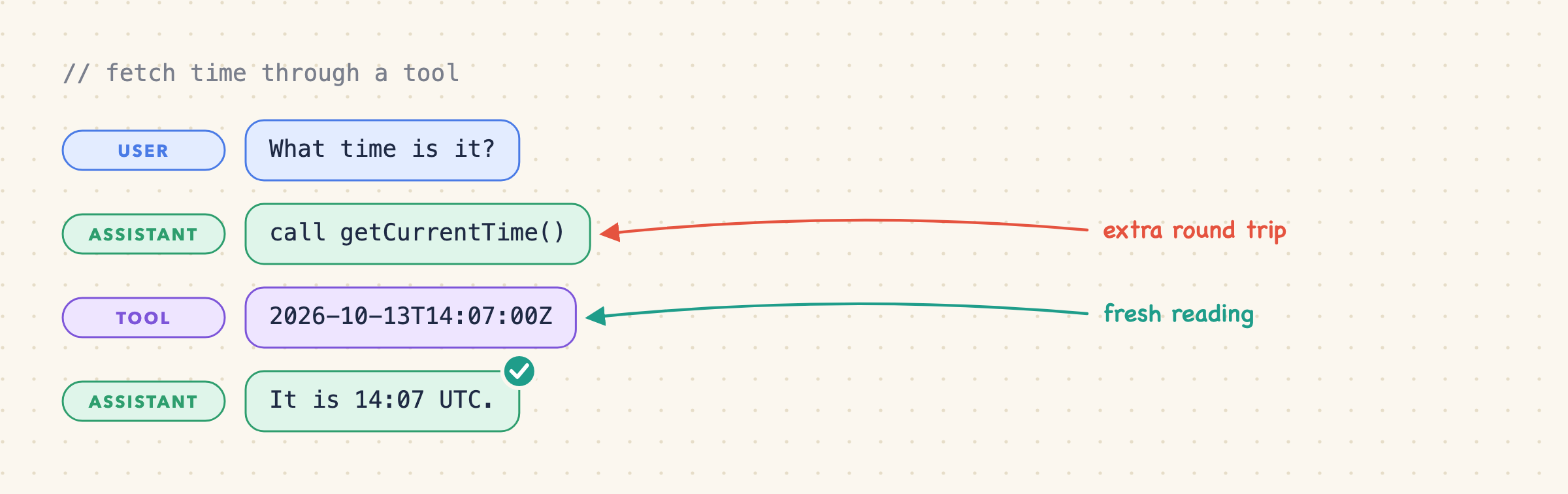
Fresh time, no system prompt edits. Nice. But reading the clock is now part of the model's job, and jobs come with overhead:
It adds a round trip. The model requests the tool, our app runs it, and another model call consumes the result. More latency, more billable processing. Anthropic documents this client-tool flow.
The model has to notice it needs the time. "What time is it?" is obvious. "Find yesterday's news" requires realizing the search needs a reference date. If it skips the lookup, it quietly guesses.
Forcing the call on every request fixes that, and wastes work. "Make this button blue" doesn't need a clock. It would get one anyway.
Old results stay in the conversation. A reading that was accurate when returned can later pass for "now."
Tool activity might show up in the UI. Do your users want to watch your agent check its watch? Your call.
That stale-result one is sneaky:
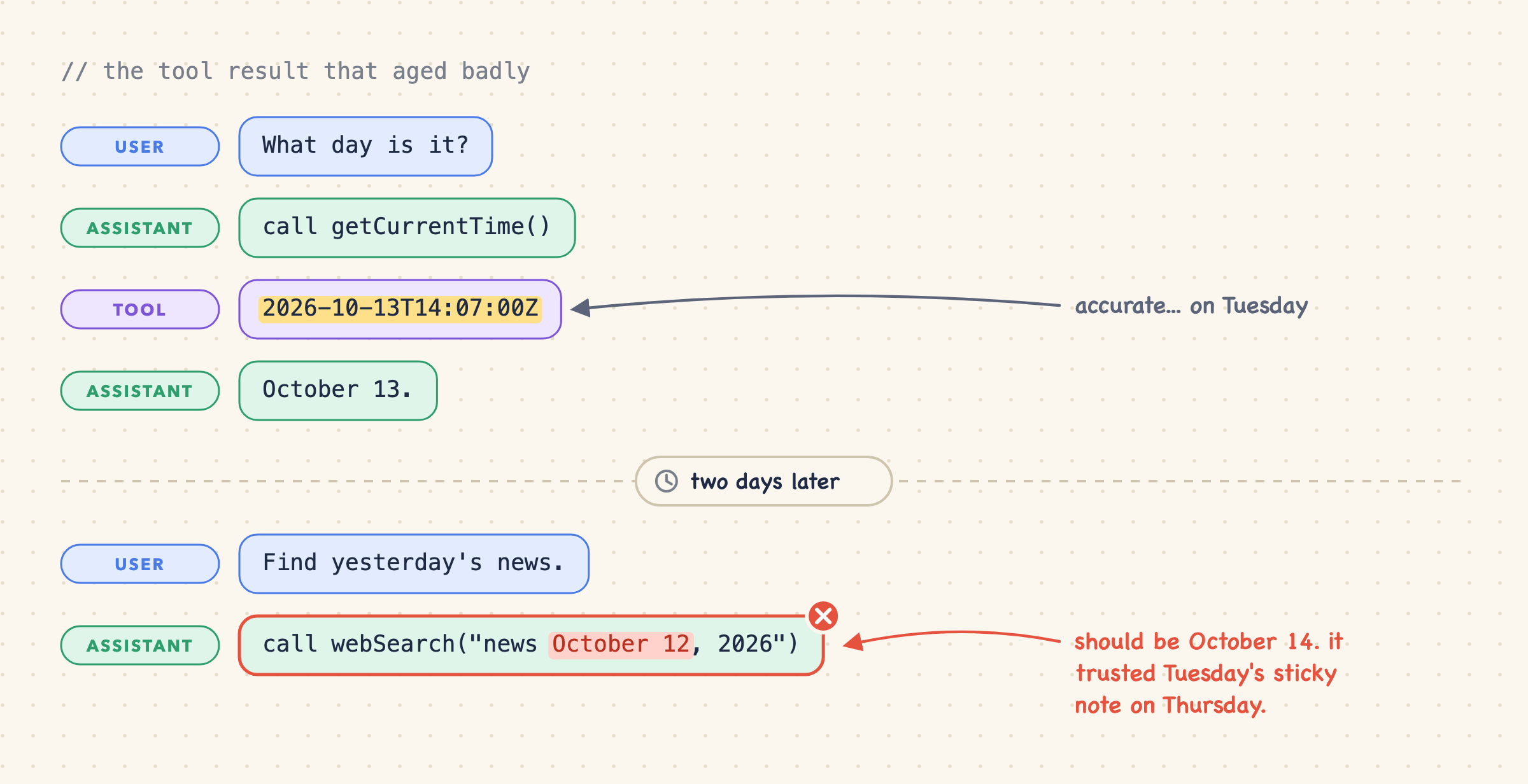
The tool did nothing wrong. The agent reused a historical reading as today's date.
A clock tool still earns its place when work needs a fresh reading mid-task (we'll come back to that). The question is whether every request should depend on the model remembering to ask for something the app already knows.
Before we add another tool, though, someone in the design review will raise a hand: "We already have web search, right?"
4. Ask the web
Sure, we could:
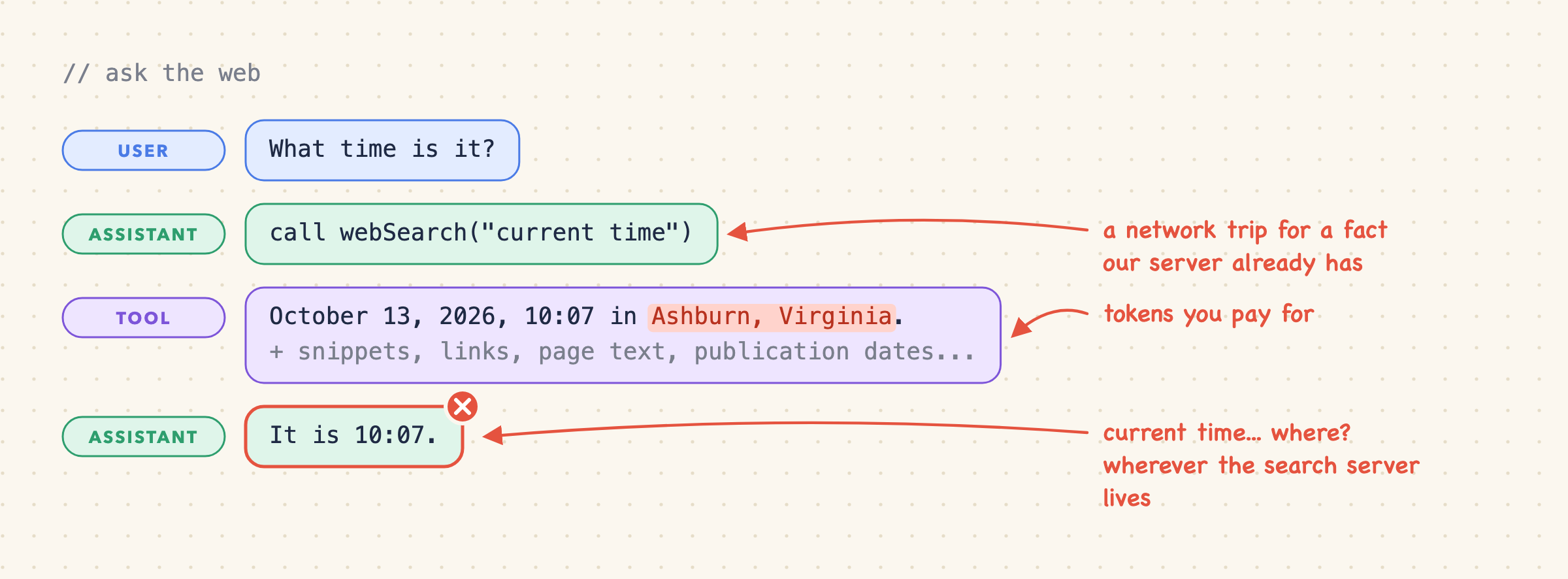
It works, and we didn't need a dedicated clock tool. But we inherit everything from the previous section (deciding to look, stale results) and gain a few new friends:
A network lookup for a fact that's sitting on our own server.
Search fees, plus tokens for snippets, page text, and links, when all we needed was one timestamp.
Dates to interpret. A publication date on a page isn't a live clock.
A timezone that came from... where? Without a place, the search service defaults to one, and it isn't magically the user's browser zone.
Both tool approaches make the agent ask for something the application already knows. Why wait for it to ask?
5. Add an ephemeral reminder
Agents can receive short application-generated notes alongside conversation messages, which lets us deliver updates without rewriting the system prompt.
For our clock, the note is just a timestamp. Include a fresh reading on the current call, then swap it for a newer one on the next call. The model always gets the latest reading and never a history of them. We'll call this an ephemeral reminder.
The model now gets the time automatically, with no tool decision involved. Lovely. Now the fun question: where do we put it?
Before the latest user message
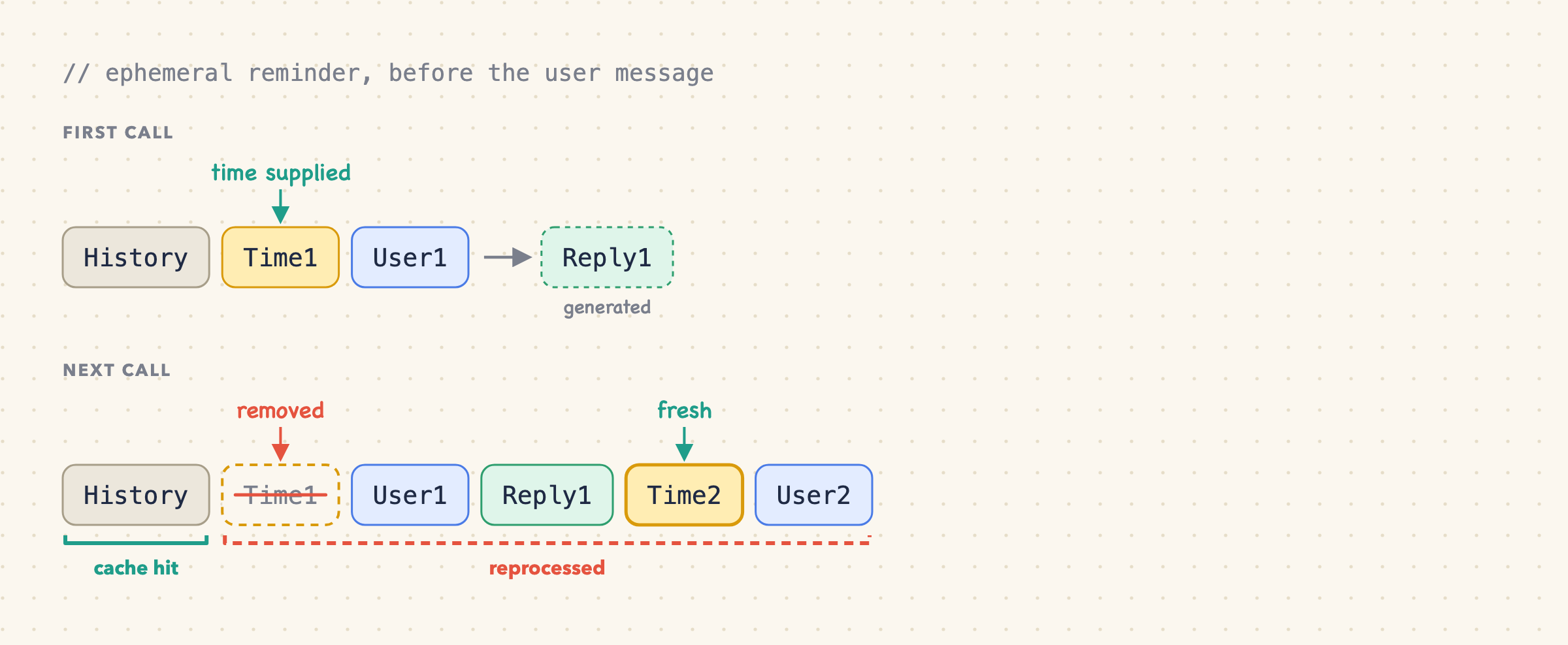
Removing Time1 changes the input right before User1, so everything from there on gets reprocessed. Only History survives.
Prefixing the timestamp inside the user message has the same problem once we strip it: the input changes before the user's text.
After the latest user message
Move the disposable note to the end of the request:
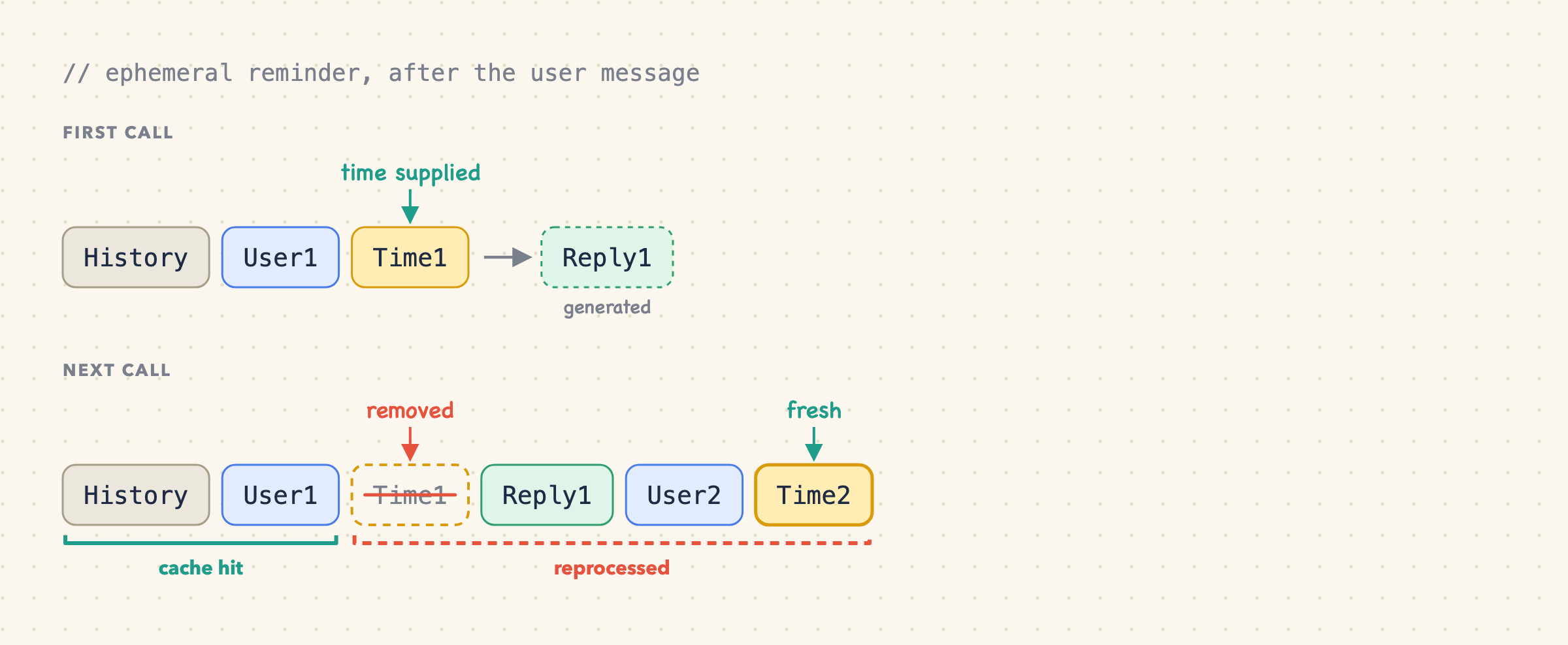
Now the whole first user message sits before the removed note. Putting disposable stuff last keeps more of the input intact.
One caveat, before anyone screenshots this for a Slack argument: a preserved prefix makes reuse possible, not guaranteed. Message structure, cache boundaries, minimum lengths, settings, and expiry all still matter.
This is a legitimate place to stop: supply a current reference automatically, then throw it away. No UI changes, no storage format to commit to.
But we also threw away the evidence of when earlier requests arrived. Suppose the user says, "Find the article we discussed two days ago." The current reading anchors "two days ago." Finding that exchange needs historical time, which we just deleted.
What if each reading stayed with its message?
6. Keep a persistent reminder
A persistent reminder stays in the conversation for all later calls. Same placement as before, after the user message, but this time we keep the old reading when we add the new one.
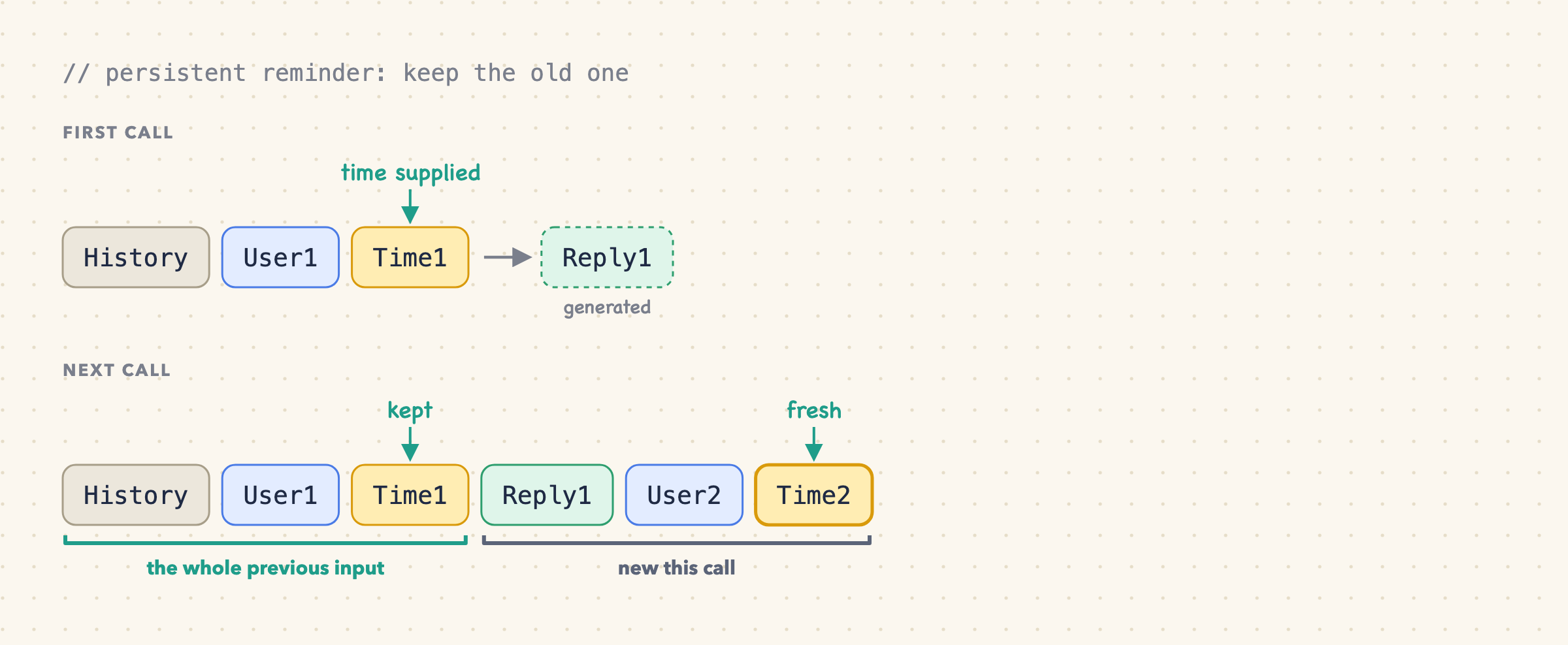
Now the model has the latest reading and the time of earlier requests. And since we only append and never edit the middle, the whole previous call still matches.
With retained reminders, any placement works, as long as it never moves:
Placement                                  Cache prefix when the reminder stays put
----------------------------------------   ----------------------------------------
Before the user text                       History, Time1, User1
Inside the user message, before its text   History, Time1 + User1
After the user text                        History, User1, Time1
What matters is that each reminder keeps both its value and its position. None of these placements require showing the note in the chat bubble.
The cost is accumulation: one note per user message, and later calls carry all the earlier ones.
At user message   Timestamp notes in that call   Notes in model context
---------------   ----------------------------   ----------------------
1                 Time1                          1
2                 Time1, Time2                   2
3                 Time1, Time2, Time3            3
100               Time1 through Time100          100
Each note is small, but it still costs tokens and context-window space. Caching makes old notes cheaper to process; it doesn't make them disappear.
For this case, persistent timestamps attached to messages are the pattern I'd choose. Time arrives automatically, old requests keep their reference point, and we only ever append. Ephemeral reminders are still fine when only the current request needs the context.
Wait, what do the big agents actually do?

Before committing, I got nosy and read my own Cursor and Claude Code transcripts, then ran a few multi-turn probes. (What else would you do on a Friday?)
Turns out Cursor implements a persistent reminder, and Claude imlpements an stingy ephemeral reminder.
Cursor puts a <timestamp> at the start of every user message, right before your text, and leaves it there forever:
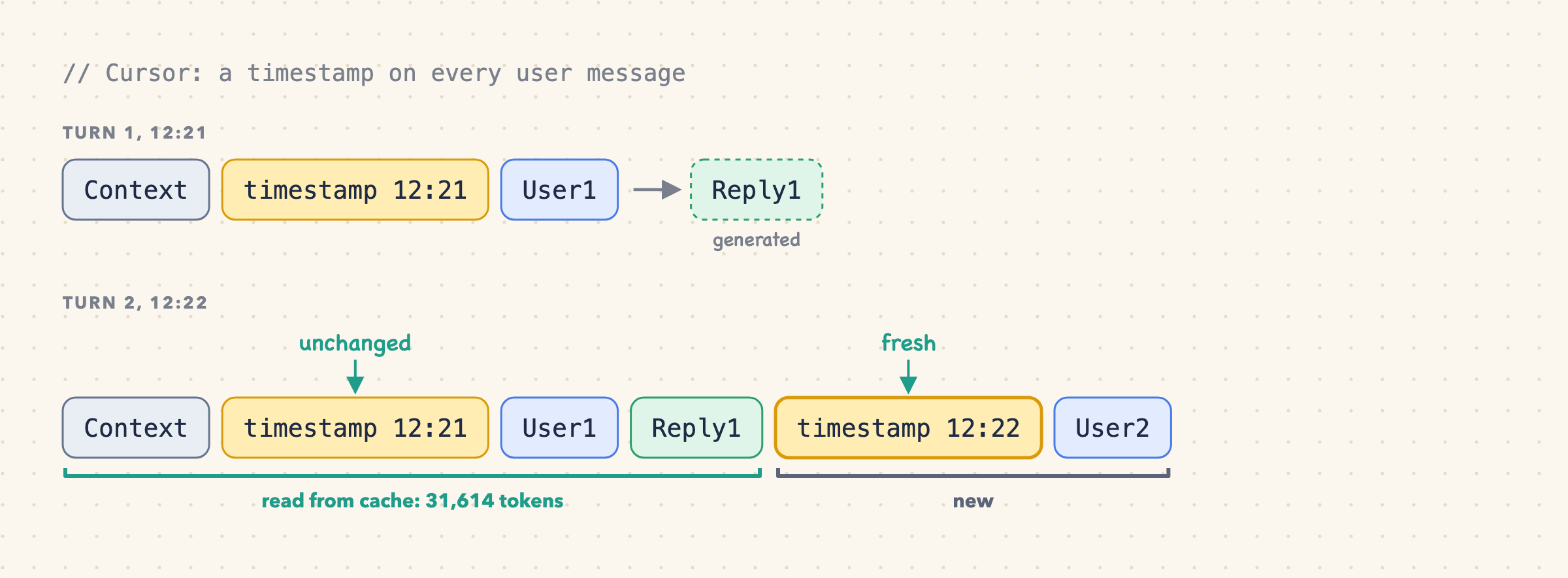
On the second turn, 31,614 of the roughly 31,618 tokens from the first call came straight out of the cache. That's the persistent pattern from section 6, working as advertised.
Claude Code is stingier: date only, no time of day, and only when it changes.
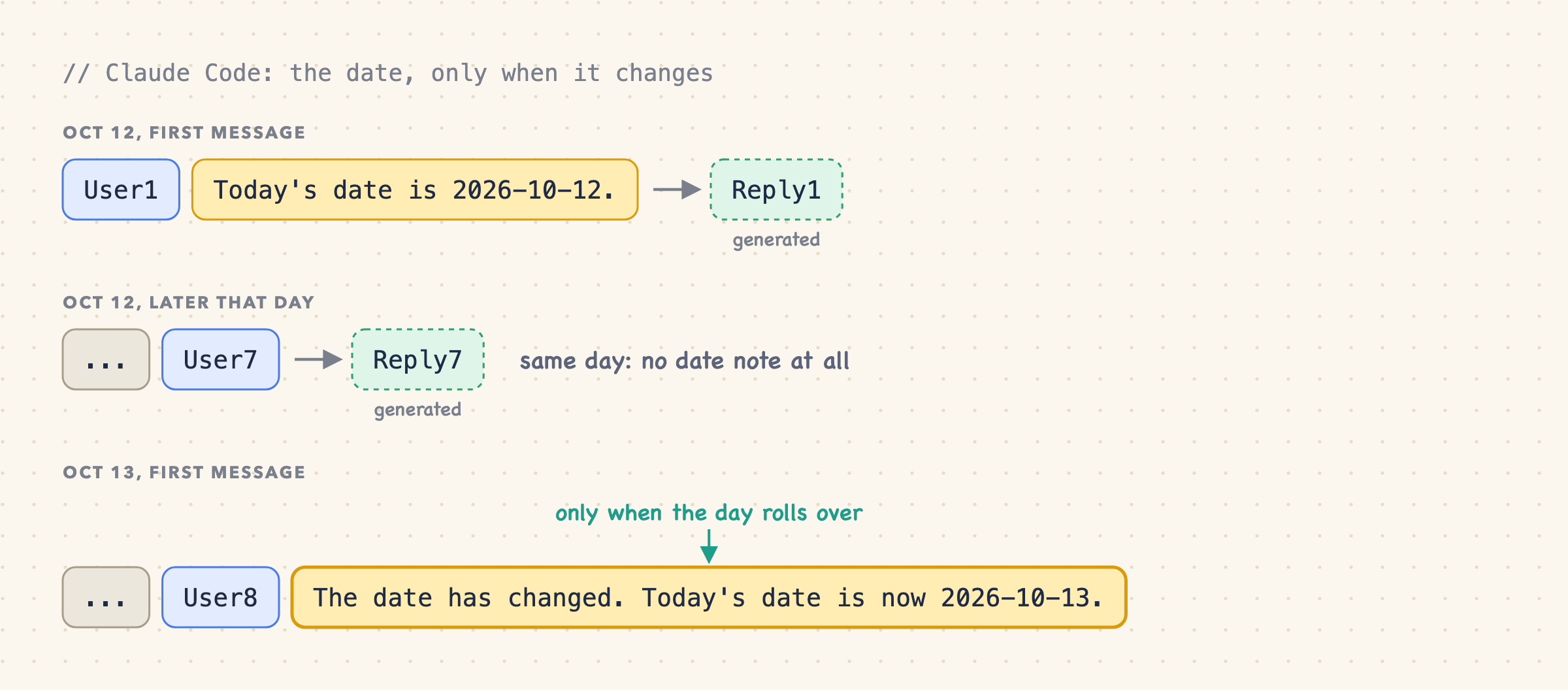
To decide whether to say "the date has changed," it looks up the last date reminder already in the conversation. That only works if old reminders stay put, so it's persistent too. After /compact wipes the history, it just states today's date again.
Two very different products, same conclusion: don't rewrite history, append to it. (I observed this on my machine in November 2026, with the Cursor CLI and Claude Code 2.1.x. Implementations change. Check yours.)
✅ We’re 99% done ( You can stop here )
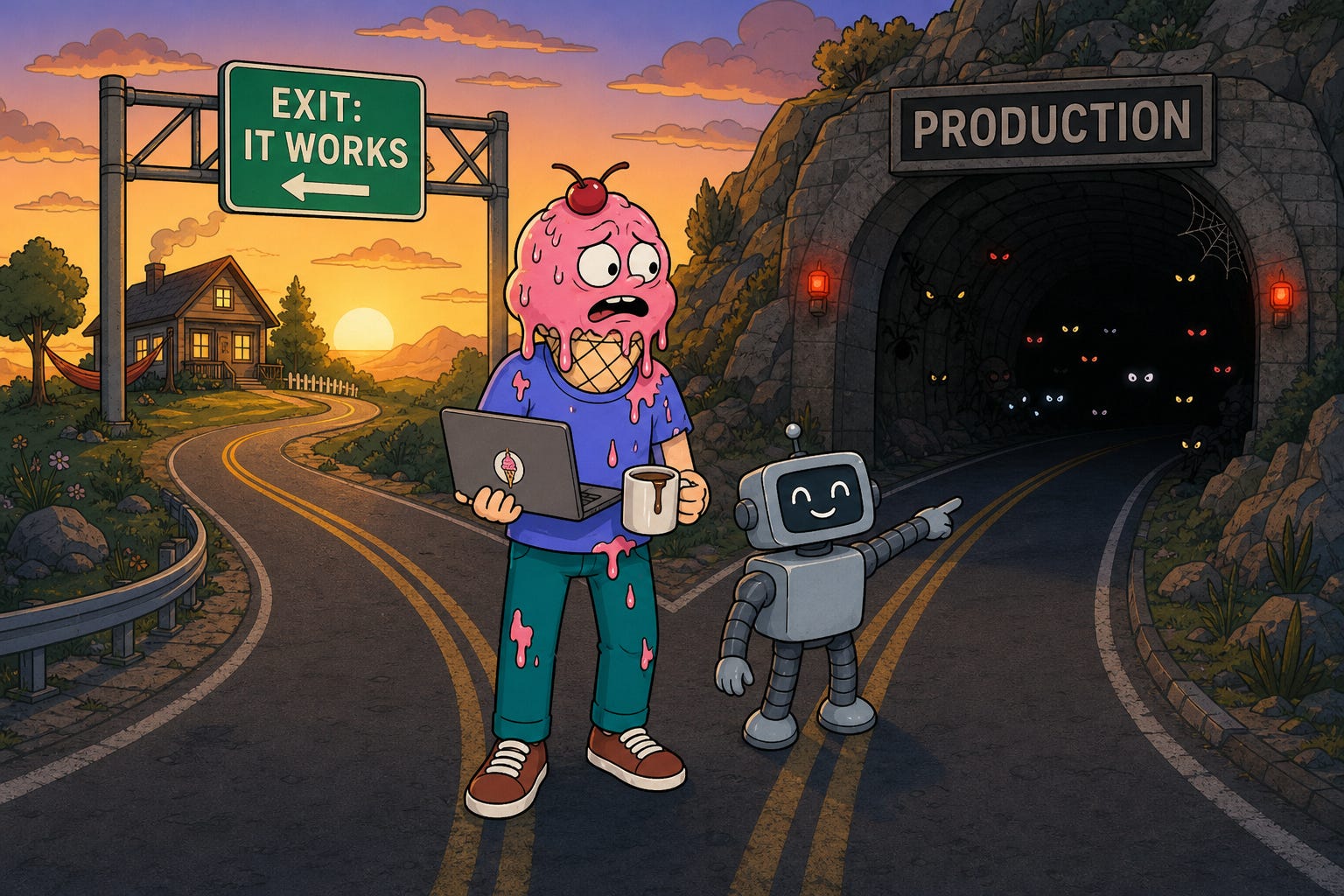
Seriously. If you came for the pattern, you have it: put a timestamp on every user message, keep it, and never edit it. 🎉 Cursor does it, Claude Code does a stingier version of it, and it's what we chose for Sticklight.
Close the tab and go build it. It'll work.
It'll probably also ship with a few production bugs: a reminder set for the wrong day, a cache that misses for no obvious reason, a summary that forgot what "tomorrow" meant. If you want to be sure you're covered, keep reading.
From Here to Production
The devil is in the details.
The pattern works. We demoed it. People clapped. Now we just have to make it production-ready.
Shouldn't take long.
Storage: where does the note live?
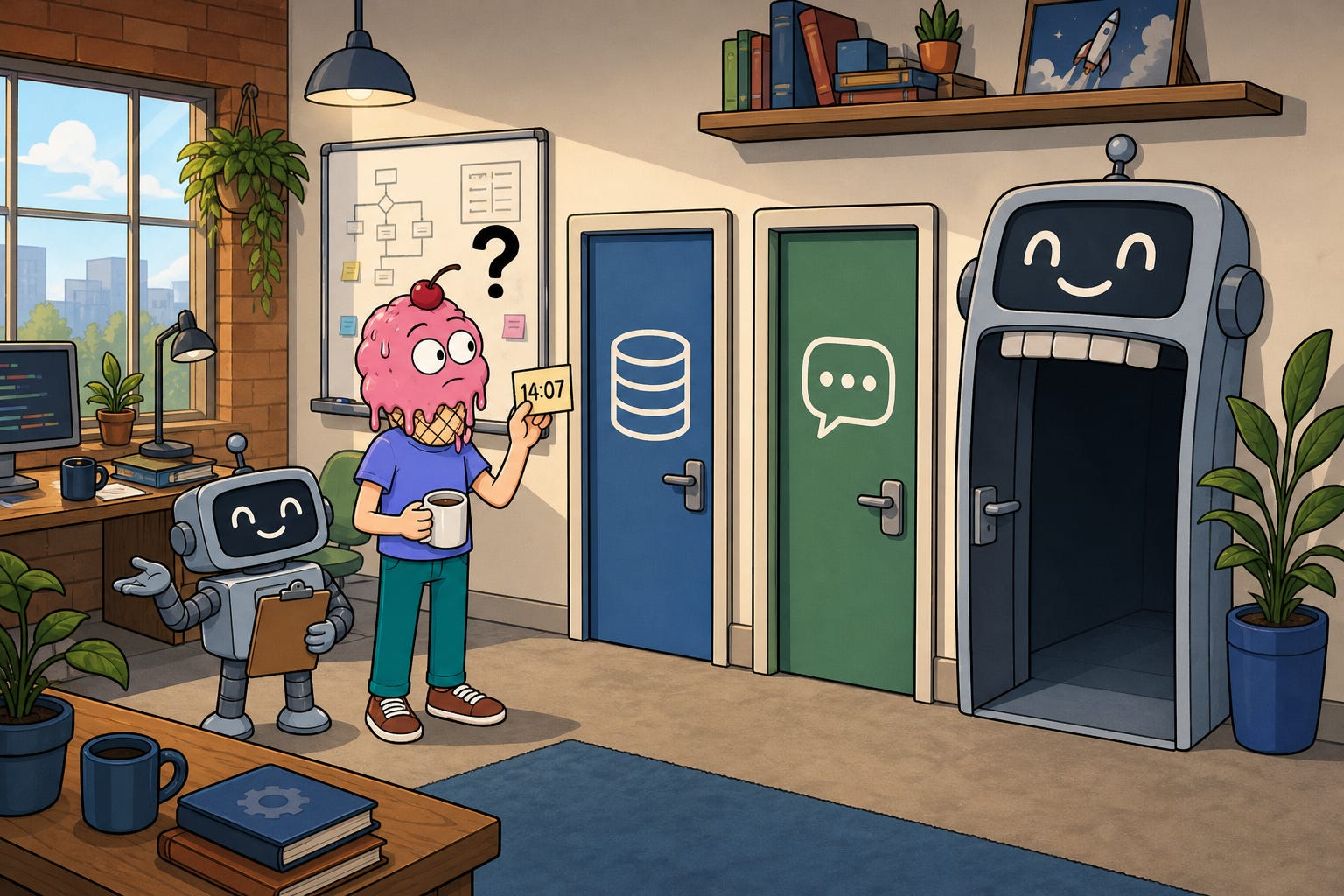
Ticket #1 · opened five minutes after the demo, by the backend reviewer
"Cool. Where does the timestamp actually live?"
Ah. Right. In a real product, messages live in a database, and every model call rebuilds the conversation from there. So "keep the timestamp" is really a storage question: what do we save so the exact same note comes back for every message, on every call, without leaking into the chat bubble?
Three options. Let's go through them quickly. Quickly.
Option 1: glue it into the user text
The easiest possible implementation: prepend the timestamp to the message text before saving it.
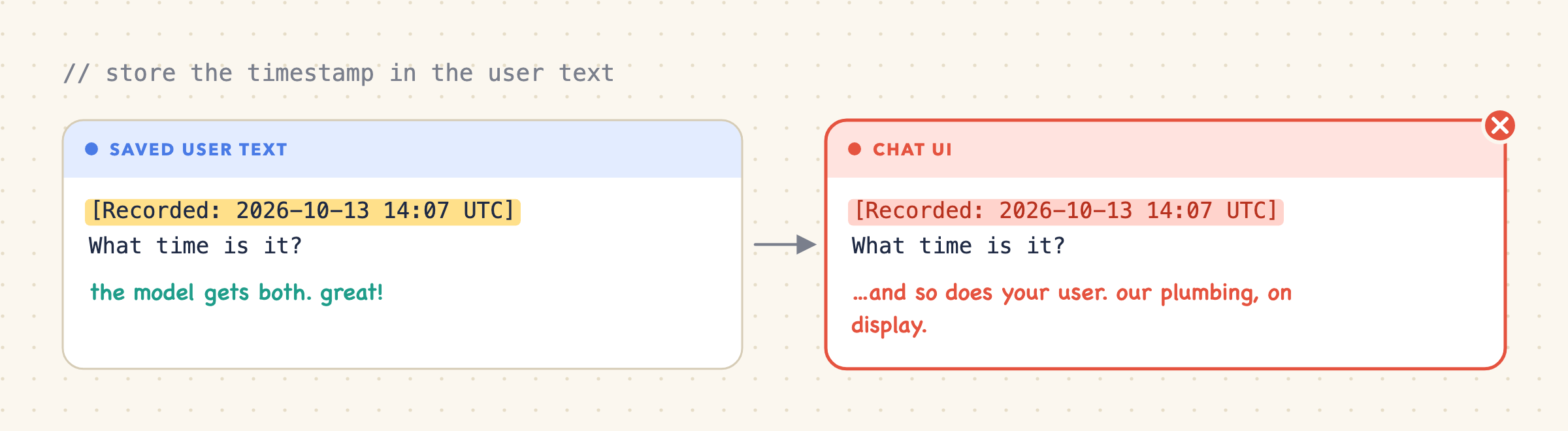
The model gets the same note every time. Great. But the UI renders that same field, so your users see your plumbing. Copy, edit, and export pick it up too. You could strip it back out on every read... or not glue it in to begin with.
Option 2: save a separate message part
Keep time context next to the user's text instead of inside it. The parts array and data-datetime name follow the Vercel AI SDK UIMessage format. Other stacks have their own equivalent, and the idea carries over: store app context separately, convert it for the model.
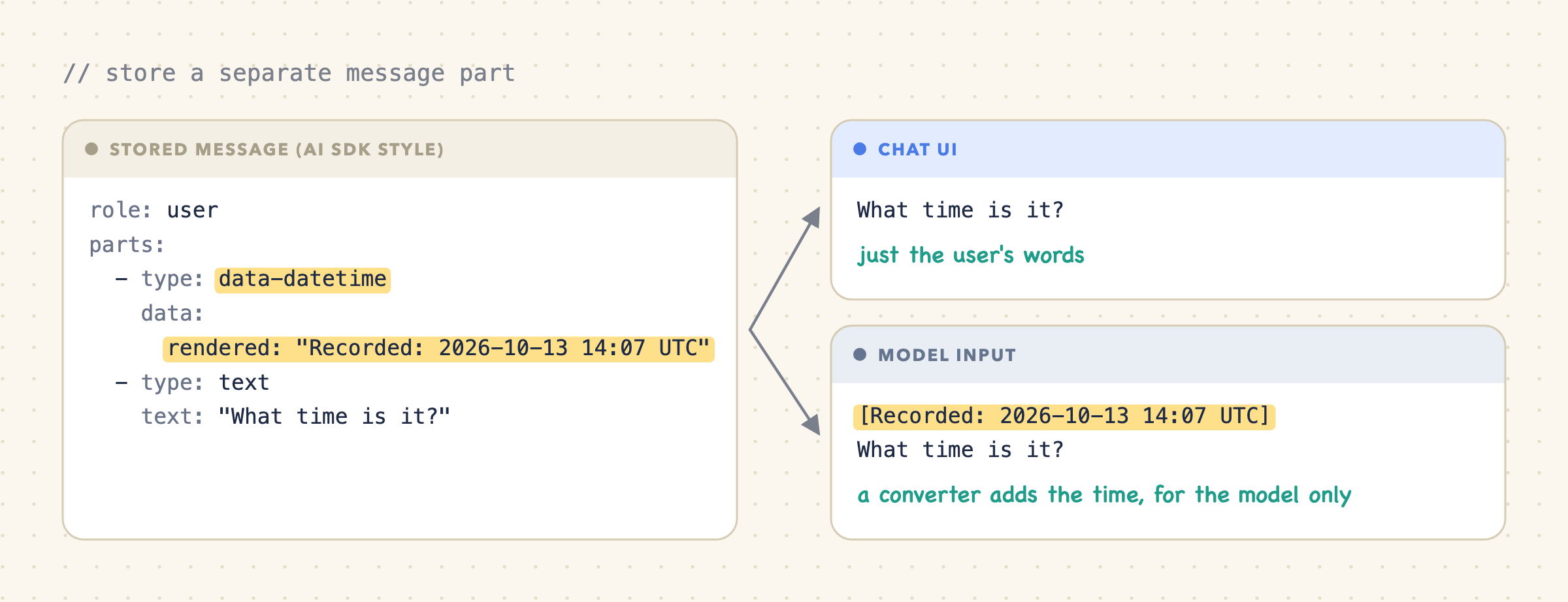
With the AI SDK, custom data parts need an explicit converter to reach the model (data-part conversion). With other stacks, ordinary metadata does the same job. Either way, the UI shows the user's words and the model gets both.
Option 3: use the timestamp we already have
Then the same reviewer adds a comment: "Every message already has createdAt. Why store the same time twice?"
...Fair point.
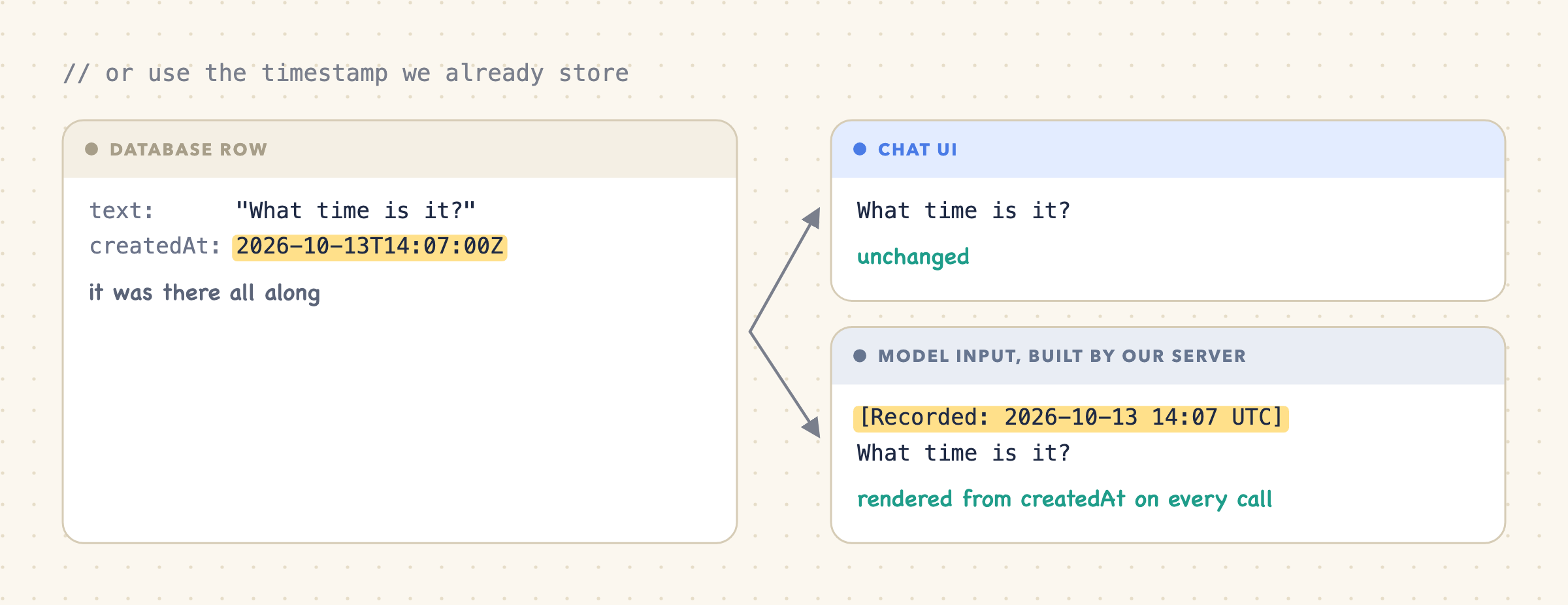
Rebuilding the note from createdAt means no second copy of the time on every record. Messages in existing chats have createdAt too, so if we ever want to stamp them as well, the data is already there. (Remember that. It comes back to haunt us.)
Whichever option you pick, each message now lives in three places, and only one of them is strict:
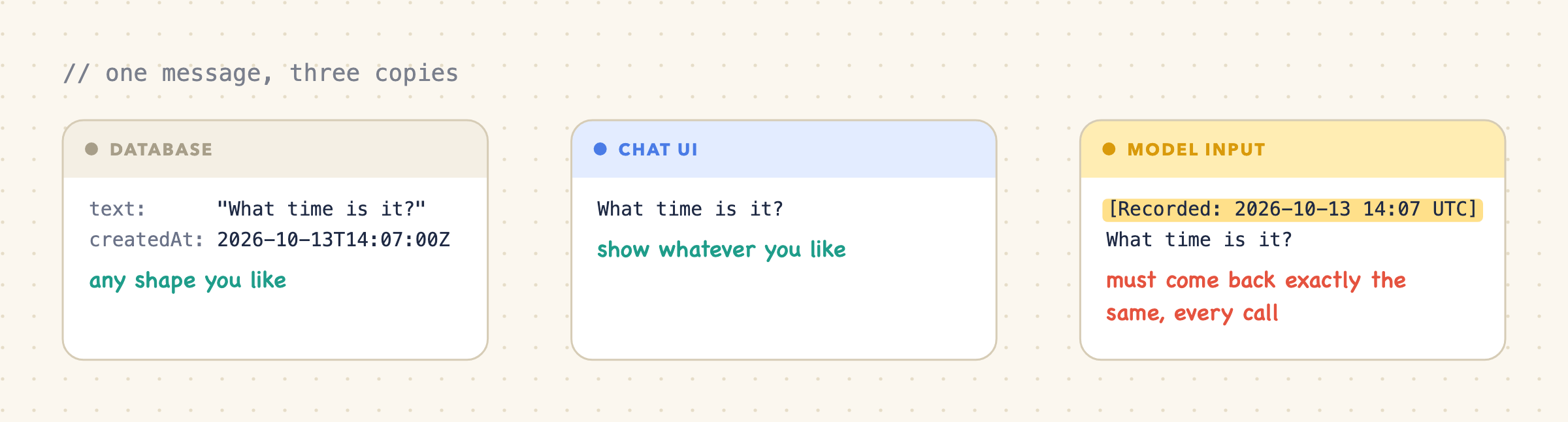
The database can store whatever shape it likes, and the UI can show whatever it likes. But whatever text the model saw for a message last time has to come back exactly the same on every later call: same words, same format, same position. That's what keeps the cache working.
Options 1 and 2 save a rendered note; option 3 rebuilds it. The real difference is who guarantees that the text never changes:
                          Save the rendered note                         Rebuild from createdAt
-----------------------   --------------------------------------------   ----------------------------------------
What you store            An extra, already-formatted copy of the time   Nothing new
What you must guarantee   Nobody ever edits the saved text               Your code renders the same text, forever
Neither saves tokens, since both still send the timestamp to the model, and both have to cope with old messages that lack the new data.
For Sticklight, messages already have a server-generated createdAt, so we rebuild. The database keeps the facts, the server renders the note, and the user's text stays untouched.
One trap: render the note from createdAt on the very first call too. If call one uses the browser's clock and every later call uses the database timestamp, saved a few milliseconds later, the text differs and the cache misses.
Ticket #1: closed. Time to go home.
Timezones: which day did the user mean?

Ticket #2 · opened by a user who just landed in Dubai
"My reminder fired a day late??"
Oh no.
createdAt is a UTC instant. It tells us when a message arrived, not what the user's calendar said. At 23:30 on Monday in Los Angeles, it's already Tuesday morning in UTC. So "yesterday" depends on where the user is.
Fine. The browser knows its configured timezone:
// Read again when submitting each new message.
const timeZone = Intl.DateTimeFormat().resolvedOptions().timeZone;
// → "Asia/Jerusalem"
That's the zone the device is set to, not a GPS reading. Validate it, use it as a default, and honor explicit requests like "use New York time." MDN describes the returned value.
Save it next to createdAt on each message:
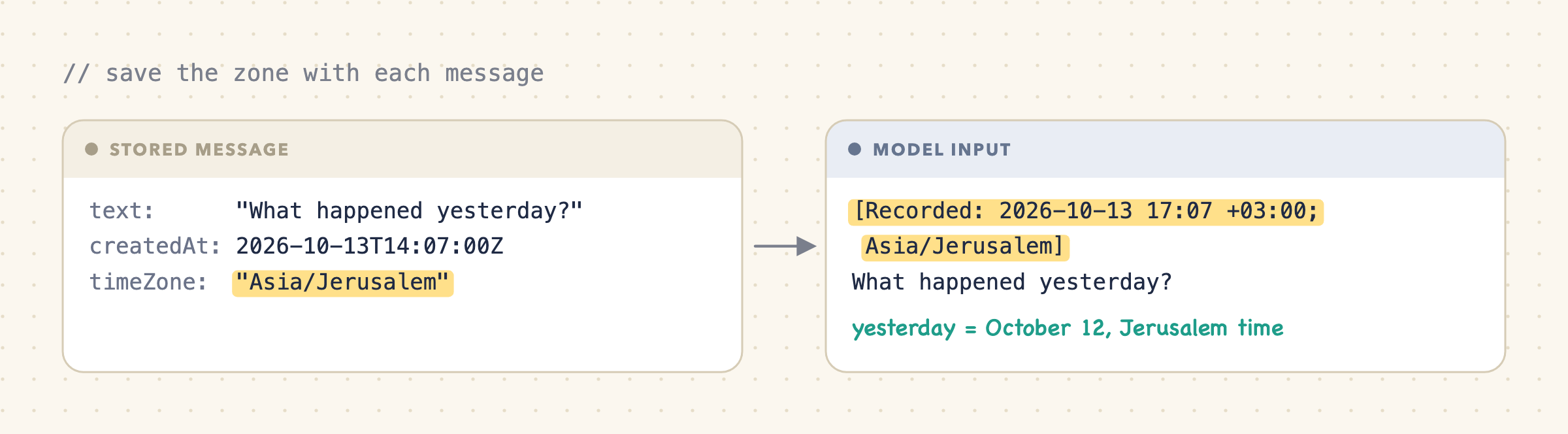
Done? Not quite. Back to our traveler.
Use the zone the message was sent from
They sent "Remind me tomorrow" at 23:30 on a Monday in Los Angeles. They meant Tuesday. Obviously.
A few days later they open the same chat in Dubai, and we, being helpful, rebuild that old message with their current zone:
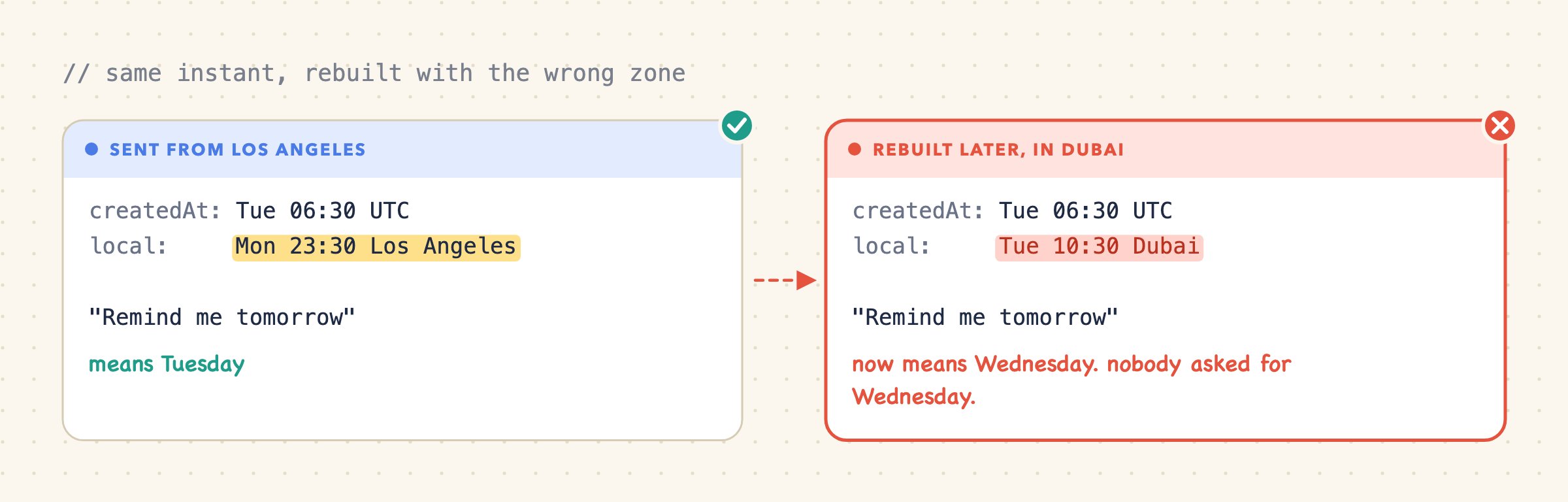
Same instant, different local day, different meaning. And different text, so a cache miss as a bonus. Each message keeps the zone it was sent from, and new messages get the new one.
Okay. Now we're done.
Save the zone name, not just the offset
We're not done. If you've ever lost a day to a daylight-saving bug, feel free to skip this part. You've suffered enough.
An offset like +03:00 is a fixed number of hours from UTC. A zone name like Asia/Jerusalem is a set of rules: +02:00 in winter, +03:00 in summer. IANA maintains these rules. To rebuild an old message, we need the offset that applied on that message's date, and only the name can tell us that:
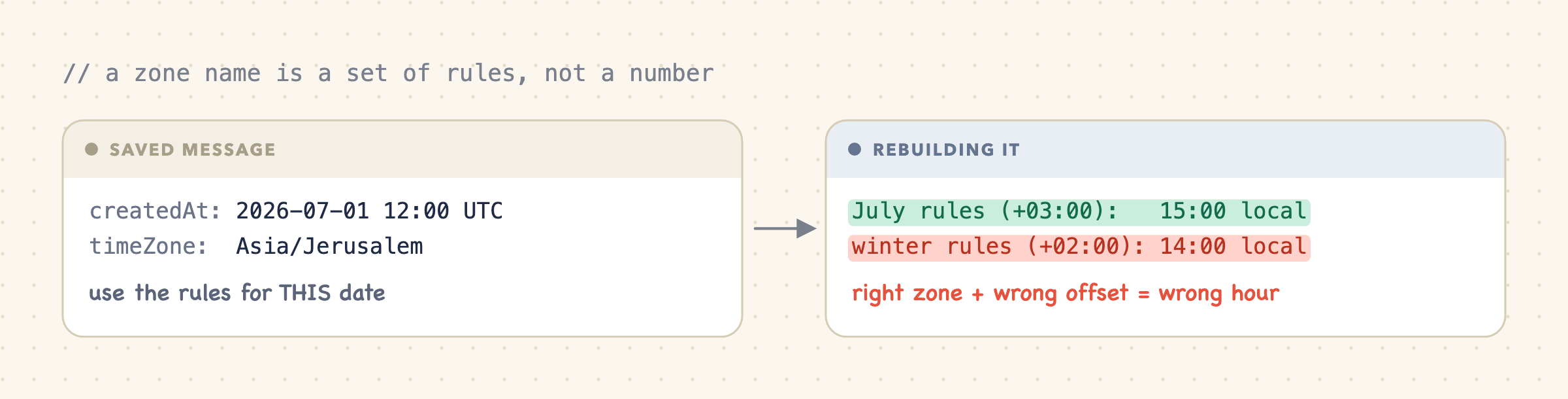
Postgres won't remember the zone for you
And because we're on a roll: timestamptz sounds like "timestamp with time zone." In practice it stores the instant and forgets the zone you wrote it with. Reads come back in whatever zone your database session uses. PostgreSQL documents that behavior.
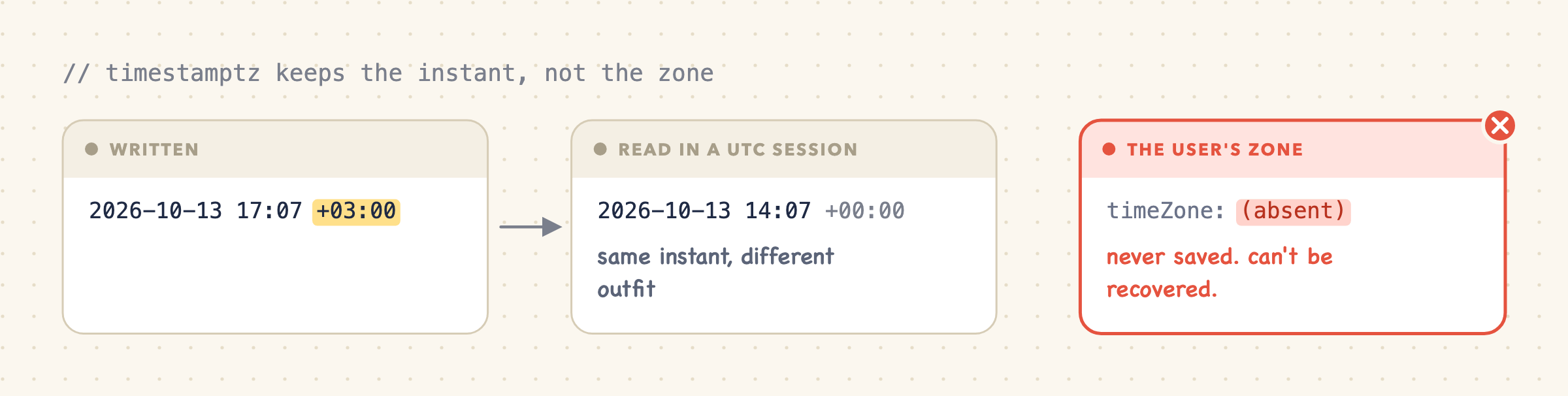
Nothing was lost; we just never saved the user's zone. Store timeZone as its own field.
Ticket #2: closed. Surely that's everything.
Formatting: render the same text every time
Ticket #3 · opened by whoever watches the billing dashboard
"Cache hit rate tanked after the last deploy. Nothing changed."
Something always changed.
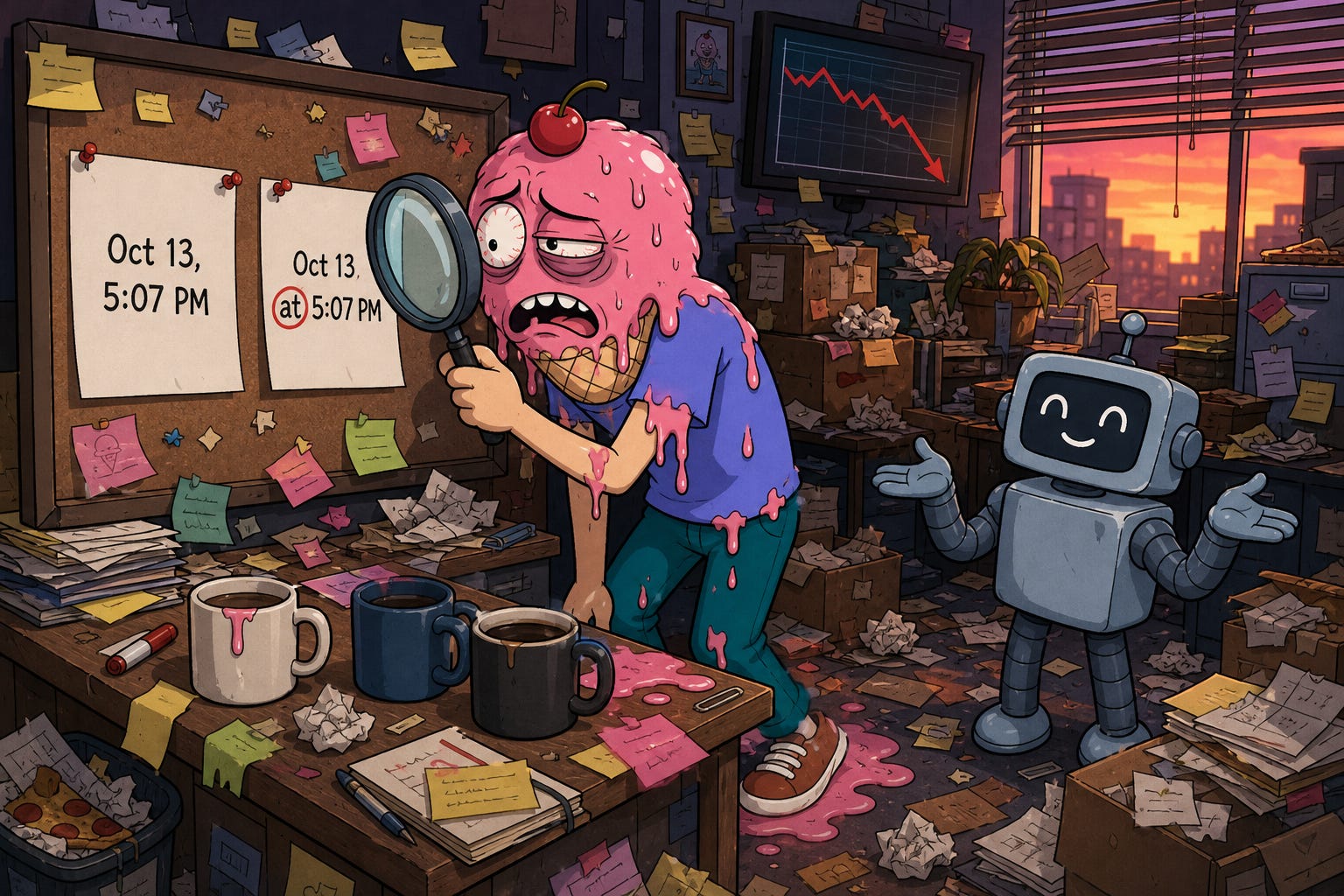
Right instant, right zone, and the text can still change:

Both are correct. But that extra "at" changes the model's copy of an old message, so the cache misses from there on. All that care, defeated by a preposition.
Default date formatting can differ between runtimes and versions, down to invisible whitespace. MDN explicitly documents these variations. (Look up U+202F if you want to ruin your afternoon. Too late for mine.)
So don't use default formatting. Write one explicit format, use the same timezone data on every server, and add a test: load a saved conversation, rebuild the model input after a reload and on another server, and compare. The text should be identical.
Ticket #3: closed. With a test this time, because we're learning.
Old chats: don't rewrite history
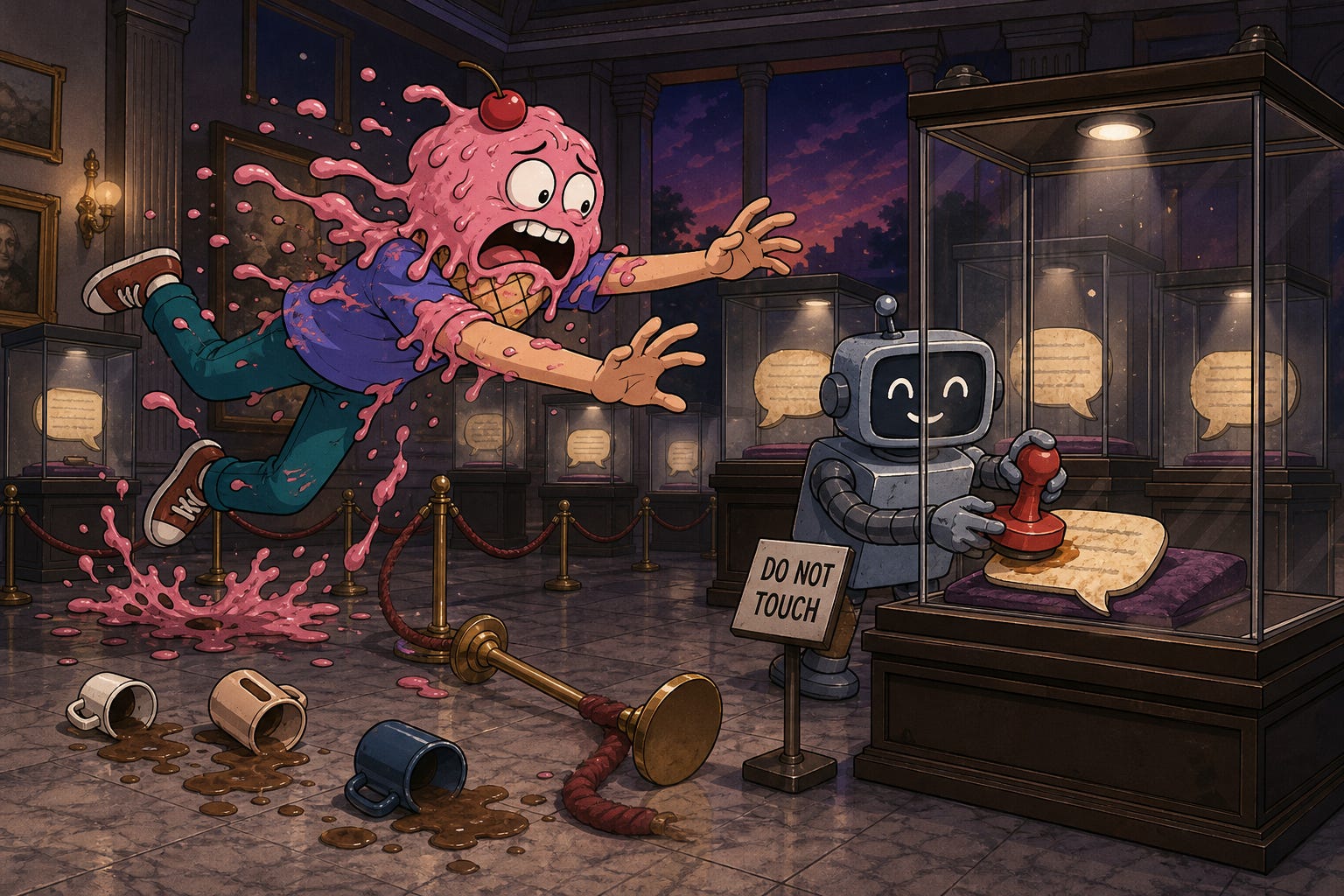
Ticket #4 · opened by product, of course
"This works for existing chats too, right?"
Users should keep their existing chats and get the feature there too. No "please start a new conversation" banner. So, a quick look at the old messages. They have createdAt, but no timeZone:
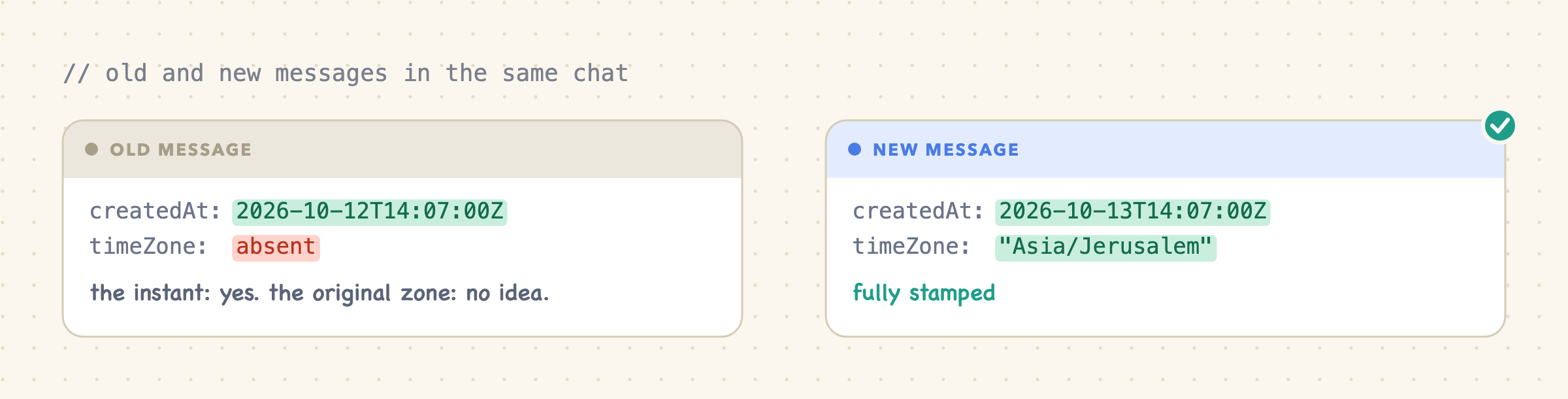
For old messages we know when, but not where. Guessing their zone from where the user is today would be inventing history. And adding notes to old messages now would change text the model already saw, which means a cache miss on every old chat. (Told you createdAt would come back to haunt us.)
So the rollout is boring, on purpose:
New messages get a note, in new chats and existing ones. Existing users get time context on their very next message.
Old messages stay exactly as they were. Code that reads messages must handle a missing
timeZone.Backfilling is a separate migration, if it ever earns its keep.
Ticket #4: closed. We're so close I can taste it.
Compaction: keep the dates that matter

Ticket #5 · opened by QA, on a very, very long chat
"After the summary, the agent forgot when 'tomorrow' was."
Of course it did.
When a conversation gets too long, we replace the older part with a summary. The individual clock readings can go. What has to survive is the meaning of anything time-relative:
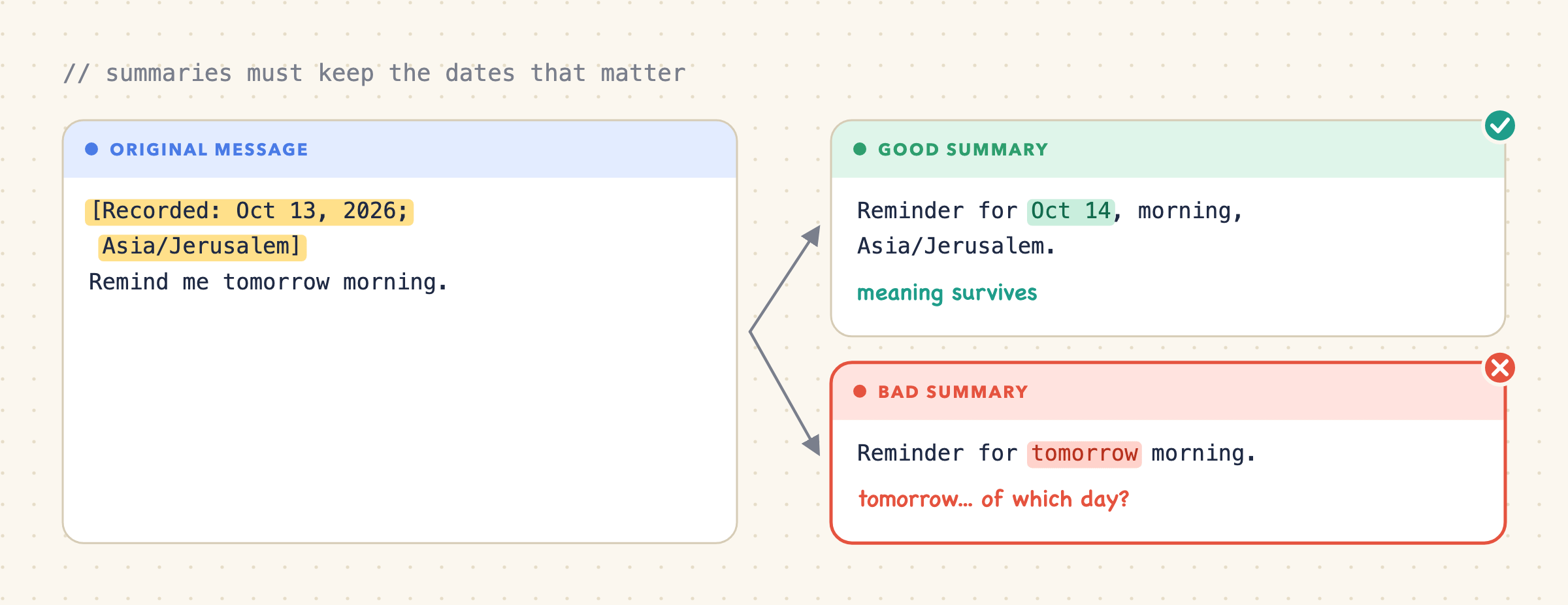
"Tomorrow" has to become a real date in the summary. Just don't invent a precise hour the user never gave.
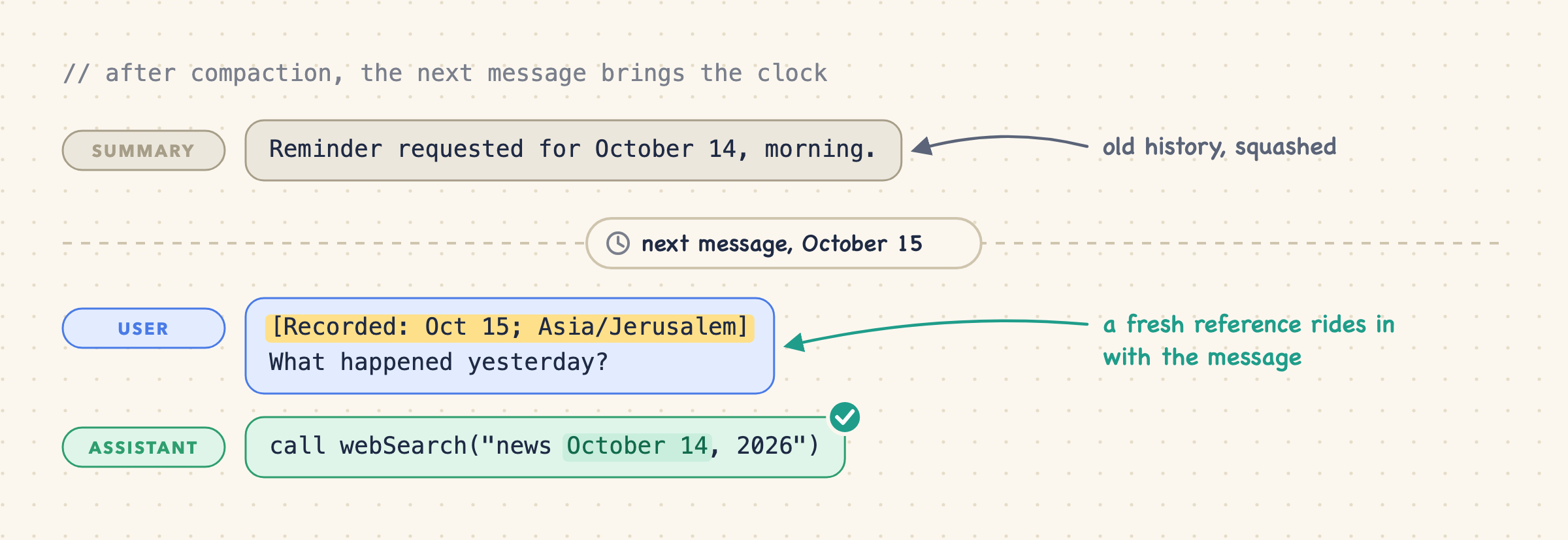
Two practical tips, delivered with the last of my energy. First, write the summary from the full context, timestamps included. Stripping them first changes the input and costs you cache reuse. Claude Code describes keeping the existing context and appending a compaction request. Second, don't bother putting the current time into the summary. The next user message brings a fresh note anyway:
Ticket #5: closed. It's dark outside. When did it get dark?
Long-running work: the timestamp gets old
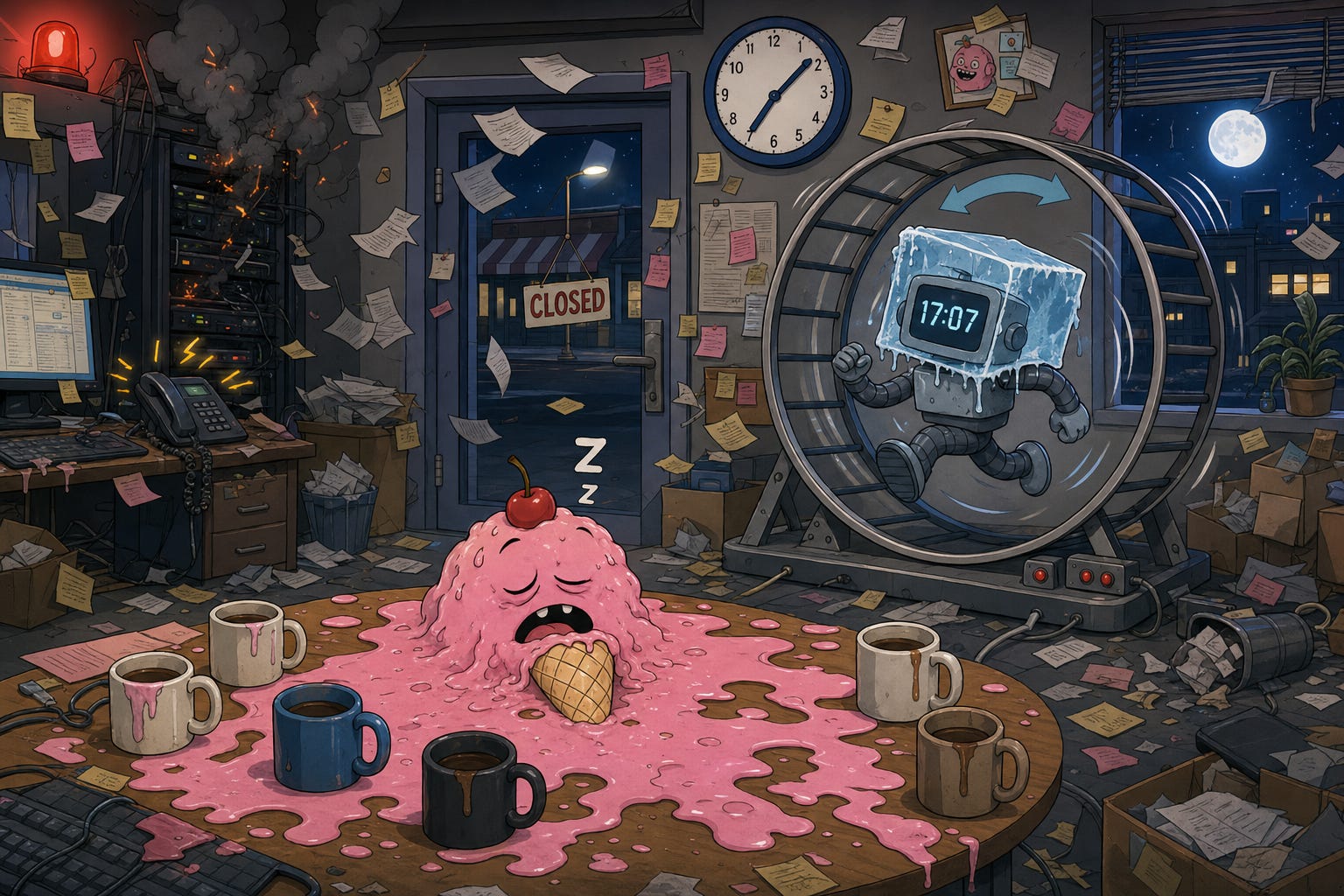
Ticket #6 · opened by sales. Loudly.
"The agent booked a demo with an office that closed two hours ago."
Some agents take a task and keep going for hours: thinking, calling tools, reading results, thinking again. Every loop is another model call, but none of them brings a new user message. And no new user message means no new timestamp.
So inside the loop, the agent is frozen in time. Its only clock reading is the note on the message that started the task:
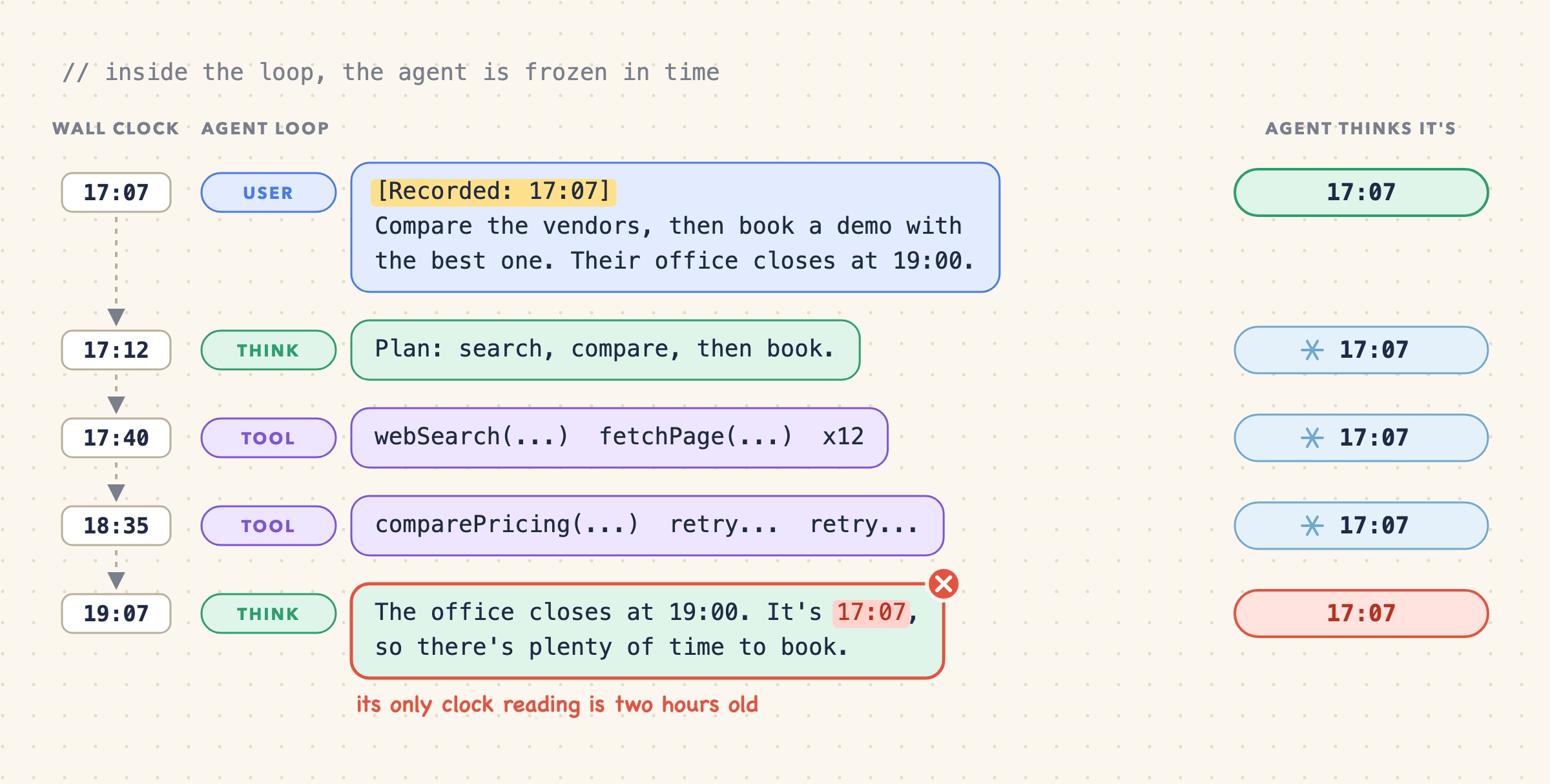
Nothing here is broken. The 17:07 note is correct: that's when the task arrived. The bug is treating "when the task arrived" as "now" two hours later, at the exact moment the decision depends on it.
Two ways to unfreeze it.
Option 1: let the agent ask
Bring back the clock tool from section 3, or a broader "get current context" tool. Yes, the same tool we dismissed back in section 3. Six coffees ago.
Its downside hasn't changed: the model has to notice it needs the time. Inside a long task that's a fairer trade, because the model has no other way to get a fresh reading, and one line in the instructions ("check the current time before anything that depends on it") goes a long way. Each check still costs a round trip.
Option 2: inject the time mid-turn
Don't wait for the model to ask. The application runs the loop, so it can check the clock between steps. Once enough time has passed since the last reading (say, an hour), it adds a fresh time note to the next step's input, usually right after the latest tool result.
It's the reminder pattern from section 5, applied to the steps inside a turn instead of to user messages. The model gets a current reading without deciding anything, and steps that run close together don't pay for notes they don't need.
The cache rules from section 5 still apply. Add the new note after the newest step and leave earlier steps alone. Swapping out an old note in the middle of the turn would change everything after it.
Pick either one, or use both. Either way, keep the original timestamp as history and give the live reading separately: the note on the message says when the task arrived, and the fresh reading says what time it is now. And if a deadline really matters, let the application enforce it. Don't leave it to the model's sense of urgency.
Ticket #6: closed. Really. Finally. I think.
Inbox zero

No open tickets. For now.
Time is one example of dynamic context in a multi-tenant agent. Before you add the next preference, workspace setting, or runtime fact, save yourself a night and run through this list first:
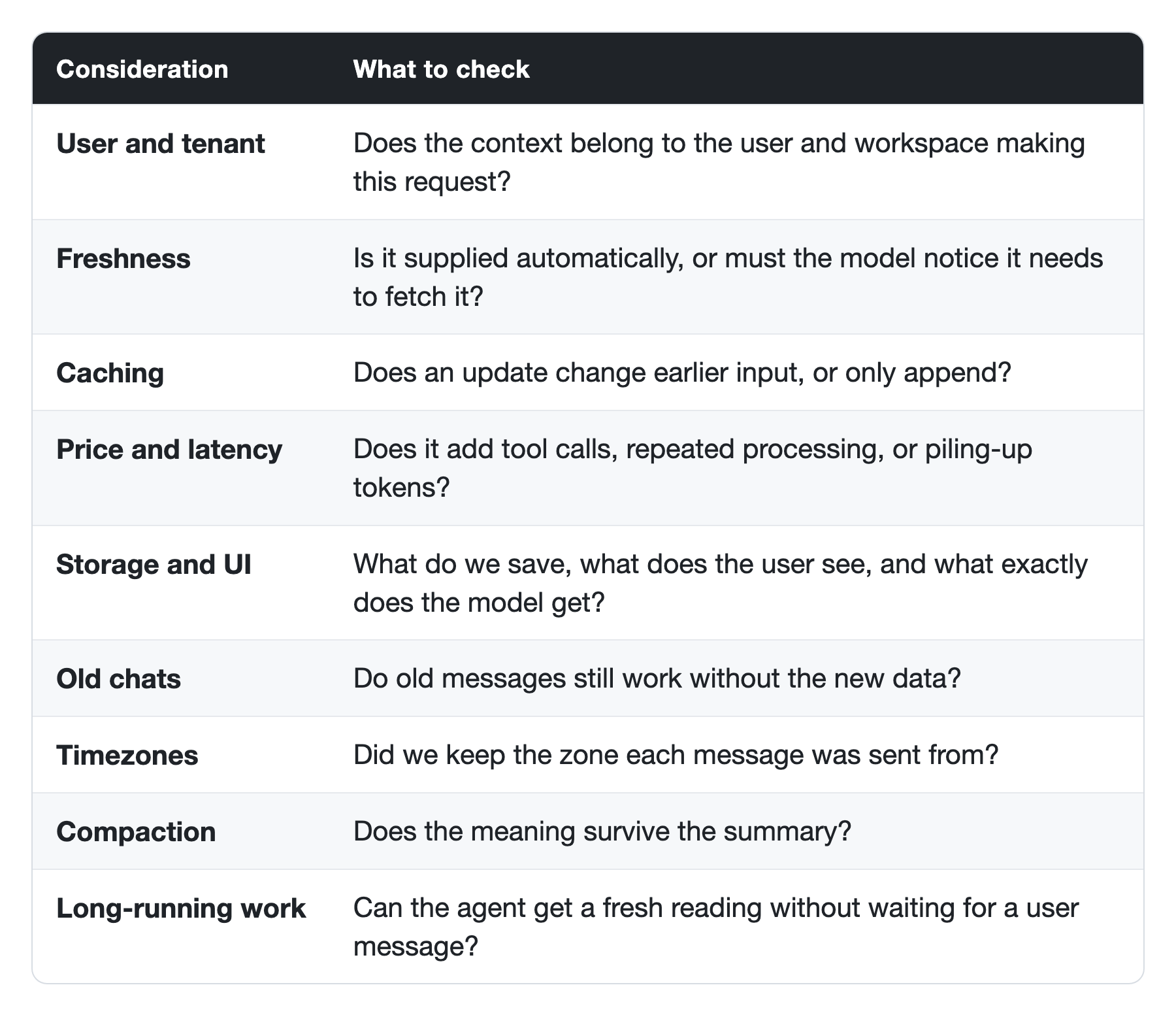
We tried static and dynamic system timestamps, a clock tool, web search, and ephemeral and persistent reminders. Each has its place. For this case, we chose an automatic, persistent timestamp on each user message.
In Sticklight, that means saving each message's createdAt and timezone, and rebuilding the exact same note for the model on every call. The UI shows only the user's words. New messages get the note in old chats too, while old messages stay untouched. Summaries keep the dates that matter, and long-running work can ask for a fresh reading.
Adding context is easy. Keeping it current where it should change, and stable where it shouldn't: that's the design.
And now your agent knows what day it is. Which is more than I can say for myself after this ticket queue.